
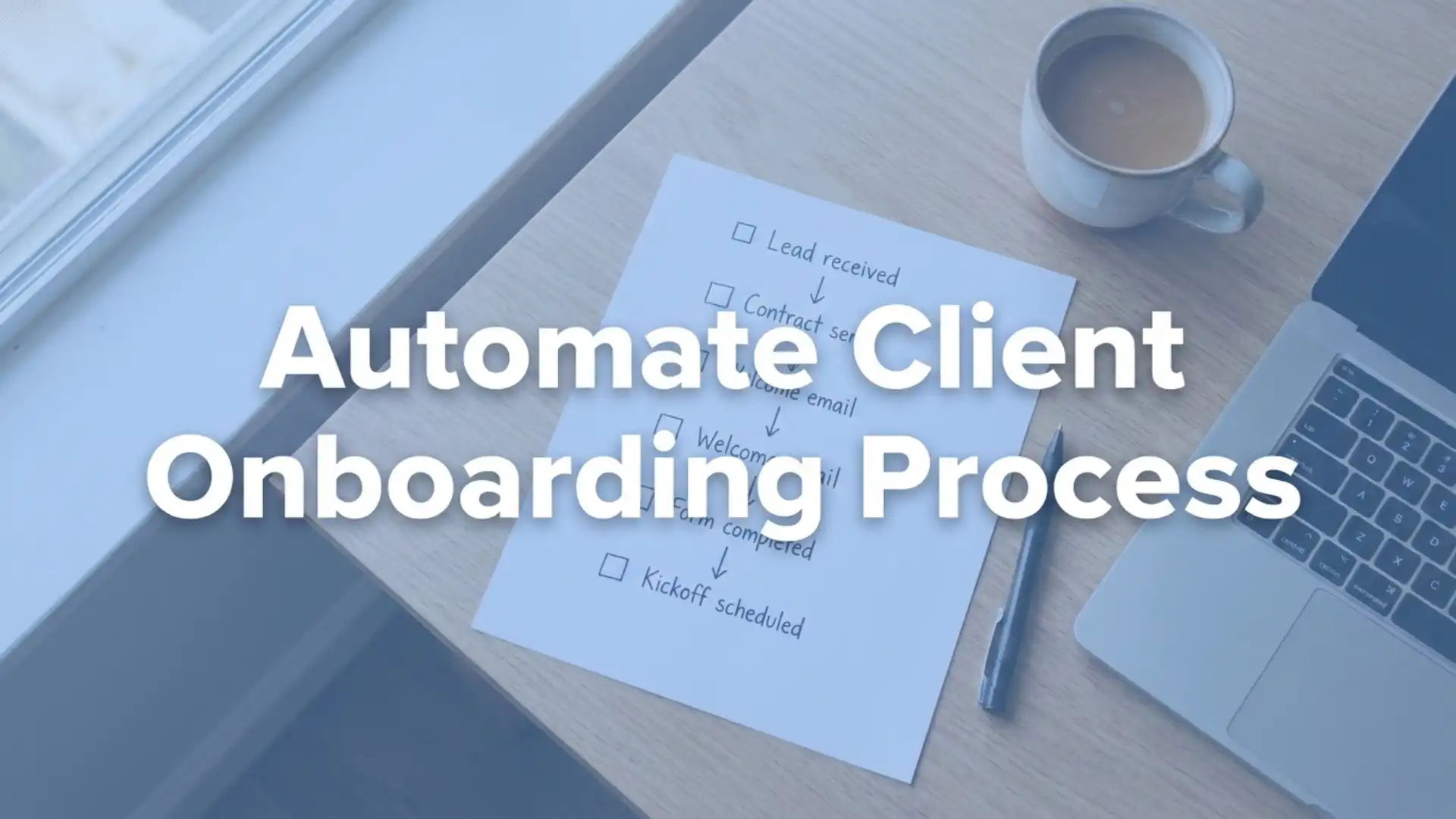
How to automate your entire client onboarding process and never miss a lead again
If you want to automate client onboarding, you are already thinking about your business the right way. Every new client represents real money, real trust, and a real relationship — and losing any part of that to slow admin, missed follow-ups, or disorganised handovers is a problem that compounds quietly until it becomes a serious issue.
The good news is that the client onboarding process is one of the most automatable workflows in any service business. It is admin-heavy, repetitive, and highly predictable — which makes it the perfect candidate for smart automation tools. Done well, automation does not reduce the personal touch. It protects it by freeing your team to focus on the conversations that matter instead of chasing paperwork.
This guide walks you through every stage of building an automated onboarding system, from capturing the first enquiry to welcoming a fully set-up client — without anything slipping through the cracks.
Why your current client onboarding process is costing you leads
Most service businesses underestimate how many leads they lose before onboarding even begins. A prospect fills in a contact form, sends a WhatsApp, or calls in — and if the response is slow, inconsistent, or simply does not happen, they move on. You may never know they were there.
The issue is rarely intention. It is capacity. When the same person handling delivery is also handling enquiries, something always gives. Lead management automation solves this by removing the human dependency from the first touchpoint entirely.
Consider what typically happens without automation:
- Enquiries arrive across multiple channels with no central view
- Follow-up depends on one person remembering to act
- New clients wait days for a welcome email or onboarding pack
- Admin tasks like contracts and intake forms are done manually each time
- Leads go cold because nobody spotted them in time
When you automate this chain, every enquiry is captured, assigned, and responded to instantly — regardless of whether your team is available.
Step 1: Capture every lead the moment it arrives
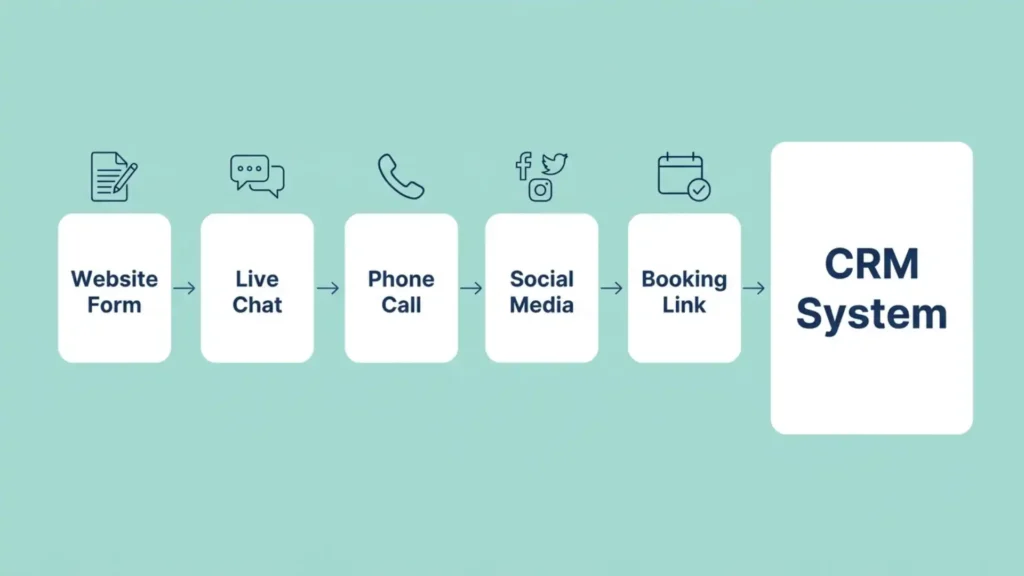
The first stage of any automated client onboarding process is making sure no enquiry is invisible. This means connecting every channel — contact forms, live chat, social media, phone calls, and paid ads — directly into a single CRM system.
When all your enquiries land in one place, you get instant visibility and a clear audit trail. A well-structured CRM system does not just store contacts — it organises them by source, status, and urgency so your team always knows who needs attention and when.
Instant lead capture also means instant response. Automated triggers can send an acknowledgement message the second someone submits a form — whether that is an email, an SMS, or a WhatsApp message. That instant contact builds trust before you have even had a conversation.
What to connect to your lead capture system
- Website contact and enquiry forms
- Live chat widgets and AI chatbots
- Facebook and Instagram lead forms
- Google Ads landing pages
- Inbound phone calls and missed call text-back
- Referral and booking links
Step 2: Automate the admin so nothing waits on you
Once a lead is captured, the next bottleneck is admin — and it is where most businesses still rely entirely on manual effort. Contracts need sending, invoices need raising, intake forms need chasing, and welcome packs need preparing. Each of these tasks is predictable, repeatable, and easy to automate.
The moment a new lead is confirmed or a proposal is accepted, an automated sequence can fire off the entire admin chain:
- A contract is generated and sent for digital signature
- A payment link or invoice is issued automatically
- An intake or briefing form is sent to gather key information
- A welcome email or onboarding guide is delivered
- A kickoff call is scheduled using an automated booking link
Pairing document signing automation with your onboarding workflow means contracts are out in seconds, not days. Reminders fire automatically if a client has not signed, without anyone on your team needing to chase manually.
Step 3: Build a lead management system that never sleeps
Lead management automation is not just about replying quickly. It is about maintaining momentum through the entire journey from first enquiry to signed client, without that momentum depending on any individual person.
A well-configured lead management system will:
- Assign every new lead to a team member automatically using round-robin rules
- Alert your team when a lead has not been contacted within a set timeframe
- Move leads through pipeline stages based on actions they take — like opening an email or booking a call
- Send follow-up sequences automatically if a lead goes quiet
- Flag stalled opportunities so they are never accidentally abandoned
This type of smart pipeline management means your entire sales and onboarding process stays moving even during busy periods, holidays, or when staff change. Nothing is held in someone’s head — it is all tracked, visible, and actioned automatically.
Still onboarding new clients manually?
Automating your client onboarding process ensures every enquiry is captured, every contract is sent instantly, and every new client receives a consistent welcome experience without extra admin work.
Step 4: Personalise at scale with email and SMS automation
One of the most common objections to automation is that it will feel impersonal. That concern is understandable, but it is also avoidable. The key is using your CRM data to make automated messages feel relevant, not robotic.
When a new client triggers your onboarding sequence, the messages they receive can include their name, the specific service they enquired about, the date they signed up, and the name of their account manager. Done properly, this level of personalisation is actually more consistent than what most manual processes deliver — because it never has an off day.
Using email marketing automation alongside SMS allows you to reach clients on whichever channel they prefer. Some clients respond faster to a text. Others prefer a well-structured email. An automated system can handle both simultaneously without any extra effort from your team.
What your automated welcome sequence should include
- A warm, personalised welcome message sent within minutes of signing up
- Clear next steps so the client knows exactly what to expect
- Links to any intake forms, documents, or resources they need
- Contact details for their point of contact
- A reminder if they have not completed any required steps within 48 hours
Step 5: Use an appointment booking system to remove scheduling friction
One of the most time-consuming parts of onboarding a new client is scheduling the kickoff call or first appointment. Back-and-forth emails trying to find a mutually convenient slot waste time on both sides and introduce unnecessary delays into your client onboarding process.
An appointment booking system solves this by letting clients book directly into available slots on your calendar — instantly, at any time of day. Confirmation emails and reminders are sent automatically, so no-shows are reduced and your team is prepared before every meeting.
This single change — removing the scheduling conversation from the process — is often the one that saves the most time. It also creates a better first impression because it removes friction from the very first step of your working relationship.
The tools that make automated client onboarding work
You do not need a dozen separate tools to automate client onboarding effectively. The most reliable setups are built on a connected platform where all the key functions work together — rather than being stitched together with integrations that occasionally break.
The core components of any solid automated onboarding system include:
- A CRM to centralise leads, contacts, and communication history
- Email and SMS automation for sequences, reminders, and follow-ups
- An online booking calendar for frictionless appointment scheduling
- Digital document signing for contracts and agreements
- Payment automation to handle invoices and deposits automatically
- A chatbot or voice agent to capture out-of-hours enquiries
- Tracking and analytics to monitor where leads come from and where they drop off
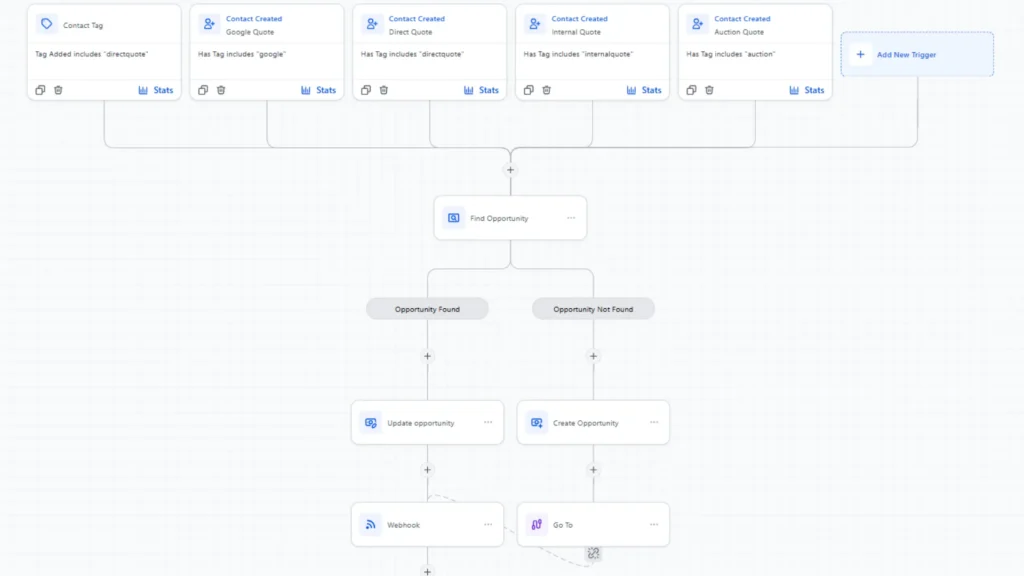
The advantage of having all of these in one platform is that triggers and automations work seamlessly across the full journey. When a contract is signed, a payment link can fire. When a payment is received, the onboarding sequence can begin. When a booking is made, reminders go out automatically. Every step connects to the next without manual intervention.
Common mistakes to avoid when automating your onboarding
Automation done badly can feel worse than no automation at all. The most common mistakes are easy to avoid once you know to look for them.
- Over-automating the human moments: strategy calls, complex queries, and relationship-building conversations should always stay personal
- Not testing on mobile: more than half of clients will open forms, emails, and booking links on their phone — if it does not work on mobile, it will create friction at the worst possible time
- Sending generic messages that do not reflect the client’s actual situation — personalise using CRM data wherever possible
- Building a system and never reviewing it: track completion rates, time-to-onboard, and drop-off points, and refine your sequences over time
- Ignoring missed calls: a missed call is a lead that has actively tried to reach you — an automated text-back can recover that conversation before it is lost
The aim is not to remove people from the process entirely. It is to make sure the right parts are handled automatically so your team has the bandwidth to be genuinely present in the conversations that require a human touch.
How to start automating your client onboarding process today
The best approach is to begin with the highest-friction point in your current process — not try to automate everything at once. Start by identifying where leads are most likely to fall through the cracks or where your team spends the most time on repetitive tasks.
For most businesses, the highest-impact starting points are:
- Centralising all lead sources into one CRM so nothing is missed
- Setting up an instant acknowledgement message when a new enquiry arrives
- Automating contract sending and payment collection
- Replacing manual scheduling with an automated booking link
Once those foundations are in place, you can layer on more sophisticated sequences — re-engagement workflows, personalised nurture campaigns, and post-onboarding review requests — as your confidence with the system grows.
For an overview of how all these tools work together in a single connected platform, the Fixxable features page gives a clear picture of what is available and how each component fits into a broader automation workflow.
If you are looking for broader context on how automated workflows connect different business tools, Zapier’s guide to workflow automation is a useful external reference for understanding the underlying principles.
Final thoughts
Learning to automate client onboarding is not a one-time project — it is an ongoing improvement to the way your business operates. The businesses that do it well do not try to build a perfect system overnight. They start with the most painful bottlenecks, automate those first, and build from there.
When your lead management automation is working properly, every enquiry is captured, every new client receives a consistent and professional experience, and your team can focus on delivering great work rather than managing admin. That is the real value of automation: not replacing the human moments, but protecting the space in which they can happen.
The client onboarding process is your first chance to show a new client what working with you is really like. Make it seamless, responsive, and organised — and that impression will carry through the entire relationship.
Automate your client onboarding process and never miss a lead again
Capture enquiries instantly, send contracts automatically, trigger welcome sequences, and track every new client inside one connected system. Fixxable helps UK businesses streamline onboarding without extra tools or manual follow-ups.