
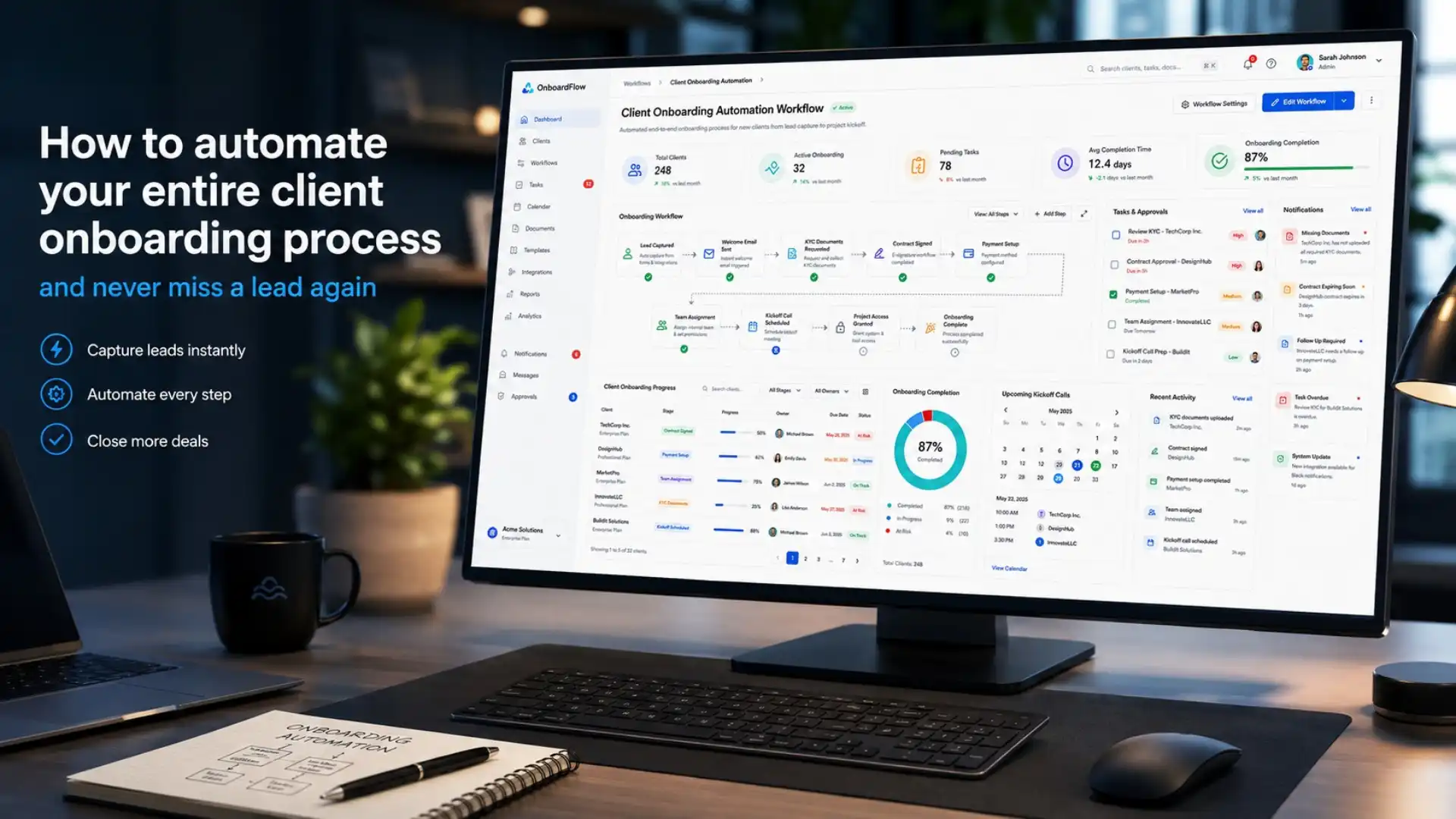
How to automate your entire client onboarding process and never miss a lead again
Every time a new client says yes, a race begins. The faster and more smoothly your business gets them set up, the more confident they feel about their decision. But for most UK small businesses, the client onboarding process is a tangle of manual emails, chased signatures, forgotten follow-ups, and missed leads that quietly fall through the cracks.
Automating your client onboarding changes all of that. Done properly, it means a new lead enters your system and — without anyone lifting a finger — receives a welcome email, gets a contract to sign, books their first call, and is added to your CRM, all within minutes. This guide walks through exactly how to set that up and why it matters so much for growth.
Why most client onboarding processes fail
The problem is not that businesses do not care about new clients. The problem is that the client onboarding process is almost entirely admin-heavy, and admin is the first thing that suffers when things get busy.
When you are small, you can get away with handling everything manually. You send welcome emails yourself, follow up on unsigned contracts personally, and keep track of what is needed in your head or on a spreadsheet. But as soon as you start to grow, that approach collapses quickly.
Some of the most common failure points are:
- Leads who enquire but never receive a timely response, so they go elsewhere
- New clients who are left waiting days for a contract or welcome information
- Important intake details that get lost in email threads rather than stored properly
- Kickoff calls that are difficult to schedule because of back-and-forth availability checking
- No consistent experience — some clients get a thorough onboarding, others barely hear from you
Each of these problems has a simple solution: automation. The goal is to build a system that runs the entire client onboarding process for you, so every client gets the same professional, timely experience regardless of how busy you are.
What a fully automated client onboarding process looks like
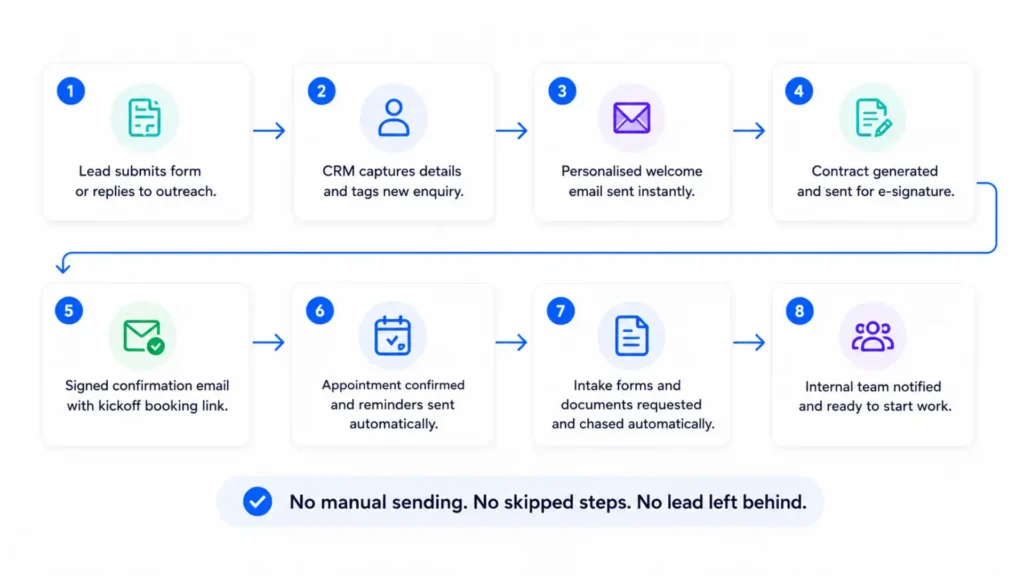
Before diving into the steps, it helps to picture the end goal. In a fully automated client onboarding workflow, here is what happens from the moment a lead comes in:
- The lead fills in a form on your website or responds to an outreach.
- Their details are automatically added to your CRM and tagged as a new enquiry.
- A personalised welcome email is sent immediately with next steps.
- A contract or service agreement is automatically generated and sent for digital signing.
- Once signed, a confirmation email goes out with a link to book the kickoff call.
- The appointment is confirmed automatically, with reminders sent before it happens.
- Any intake forms or required documents are sent and chased automatically until completed.
- Your team receives an internal notification with everything they need to start work.
None of those steps require a human to press send. The system handles it all, which means no lead gets ignored, no step gets skipped, and no client forms an early impression of a disorganised business.
Step one: map your current process before you automate it
One of the most important principles of business automation is that you should never automate a broken process. If your current onboarding is disorganised, automating it will simply make the mess happen faster.
Start by writing down every single step a new client goes through from the moment they enquire to the moment work begins. Include every email you send, every document you share, every piece of information you ask for, and every internal task your team needs to complete. Most businesses, when they do this exercise honestly, discover they have between 10 and 20 distinct steps — many of which are currently happening inconsistently or not at all.
Once you have the full map, identify the bottlenecks. Where do things stall? Where are clients waiting on you? Where are you waiting on clients? Those are the highest-priority areas to automate first.
Step two: get contracts signed without the back-and-forth
Waiting for a signed contract is one of the most common delays in any client onboarding process. Documents get sent as email attachments, clients print them, forget about them, or do not know how to sign and return them. Days pass. Momentum dies.
Digital document signing removes all of that friction. When a client agrees to proceed, a contract is sent automatically and they can sign it from any device — phone, tablet, or laptop — without downloading software or printing anything. The moment it is signed, your system is notified and the next step in the onboarding workflow is triggered automatically.
Fixxable’s document signing feature handles exactly this — sending agreements digitally, tracking whether they have been opened or signed, and automatically progressing the workflow once a signature is collected. No chasing, no guessing, no delay.
How many new leads are slipping through your onboarding process?
Automate your client onboarding from the first enquiry to the signed contract, welcome email, kickoff booking, CRM update, and follow-up reminders — so every new client gets a fast, consistent experience without your team chasing admin manually.
Step three: automate your welcome emails and follow-up sequences
The welcome email is the first real communication a client receives after saying yes. It sets the tone for the entire relationship, and it should go out within minutes — not hours or days.
An automated email sequence can handle this completely. As soon as a lead is added to your system or a contract is signed, a trigger sends a personalised welcome email with everything the client needs: next steps, what to expect, who to contact, and links to any forms they need to complete. If they do not open it, a follow-up is sent automatically. If they do not complete a required form, reminders go out at preset intervals.
This is exactly what email marketing automation is designed for — sending the right message at the right moment based on what the client has or has not done, rather than what a calendar says. It keeps communication timely and relevant without your team needing to manage every send manually.
Step four: let clients book their kickoff call themselves
The back-and-forth involved in scheduling a first call is one of the most unnecessary time sinks in any client onboarding process. “Are you free Tuesday at 2?” “No, how about Thursday?” “Thursday works, what time?” It can take four or five emails to agree on a 30-minute slot.
An automated appointment booking system removes this entirely. Once the contract is signed, the welcome email includes a direct link where the client picks a time that suits them from your live availability. They choose, the appointment is confirmed, a calendar invite goes to both parties, and reminders are sent automatically before the call.
Fixxable’s appointment booking system connects directly with your availability and handles all confirmations and reminders without any manual input. The client gets a smooth, professional booking experience, and you gain back the time that used to disappear into scheduling emails.
Step five: centralise everything in a CRM so nothing falls through
All of the automation steps above are only as good as the system that ties them together. If client details live in different places — a form submission here, an email thread there, a spreadsheet somewhere else — things will still get missed.
A properly set up CRM is the backbone of a reliable client onboarding process. Every new lead lands in the CRM automatically. Every email sent, every document signed, every call booked — it all gets attached to the client’s record. Your team can see exactly where each client is in the onboarding journey at any given moment, and anyone on the team can pick up where another left off without needing a handover briefing.
This is the core function of a CRM system built for business automation — keeping every interaction connected to a single client view so that context never gets lost and follow-ups never get missed as your volume grows.
Common mistakes to avoid when automating client onboarding
Automation done badly can feel worse than no automation at all. Here are the mistakes most businesses make when they first set this up:
Automating before standardising
If your onboarding steps vary client by client, you need to agree on a standard process first. Automation works on rules — if you do not have consistent rules, the automation will not work consistently.
Over-automating the human moments
Not everything should be automated. The strategic kickoff call, the relationship-building conversation, the moments where a client shares their goals — these need a real person. Automation should handle the admin so you have more time for those conversations, not replace them.
Failing to test before going live
Always run a test with a dummy client before switching on your automated onboarding with real leads. Broken links, mis-triggered emails, or duplicated messages in the first interaction with a new client will undermine the professional impression you are trying to create.
Never reviewing what the data is telling you
Once your automated client onboarding is running, check it regularly. Where are clients dropping off? Which emails have low open rates? Which step takes the longest? The automation generates data that makes it easy to improve the process over time — but only if you actually look at it.
How much time can automated client onboarding actually save?
The time savings depend on the volume of clients you onboard and how manual your current process is, but the numbers are consistent across industries. Businesses that automate their onboarding typically save between 5 and 15 hours of admin time per week. Some businesses report reducing the time spent on onboarding from 40% of their working week to just a few minutes of trigger-based setup.
The more significant benefit, though, is not the hours saved — it is the leads that no longer go cold. When your business responds to a new enquiry within minutes rather than hours, conversion rates improve. When every new client receives a professional, consistent experience from the first touchpoint, retention improves. When your team is not buried in onboarding admin, they can focus on doing the actual work that justifies what clients are paying.
For a broader sense of how leading automation platforms recommend structuring onboarding workflows, Zapier’s guide to client onboarding automation is a useful reference point — though the principles translate directly to an all-in-one platform approach where everything is connected from the start rather than stitched together across multiple separate tools.
Where to start if you are new to business automation
If this feels like a lot to implement at once, start small. Pick the single biggest pain point in your current client onboarding process — whether that is delayed contracts, missed follow-ups, or scheduling chaos — and automate that one thing first. Get it working reliably before you build the next layer.
The businesses that succeed with automation are not the ones that try to do everything at once. They are the ones that standardise their process, automate one step at a time, and review what the data is showing them each quarter.
The technology to do all of this is available right now. It does not require a developer, a complex integration project, or a large budget. What it does require is a clear picture of your current onboarding steps, a decision to stop doing things manually that a system could do better, and the willingness to invest a few hours upfront in a setup that will save hundreds of hours over the months and years ahead.
For UK businesses ready to put this into practice, the place to start is a platform that brings all the tools — CRM, email automation, document signing, appointment booking, and more — into one place, so your entire client onboarding process runs as a single connected workflow rather than a collection of disconnected tasks.
How to approach automated workflows without overcomplicating it
The most common mistake businesses make when starting with business automation is trying to do too much at once. A dozen workflows launched simultaneously, with unclear logic and untested triggers, creates more confusion than it resolves.
The smarter approach is to start with one or two workflows that address your biggest operational pain points — typically lead response and appointment reminders — and get those running reliably before adding more. Each successful workflow builds confidence, frees up time, and creates the bandwidth to implement the next one properly.
Most of the workflows on this list can be up and running within days, not weeks. The technology is accessible. The setup does not require a developer or technical expertise. What it does require is a clear picture of how your business processes work and a platform designed to bring them together.
For growing UK businesses that want to move quickly without technical complexity, Fixxable’s physiotherapy and clinic automation tools are a useful example of how automated workflows can be configured specifically around a business’s operational reality — not a generic template — resulting in a setup that actually gets used and delivers measurable results.
For a broader look at how businesses are approaching workflow automation right now, this guide from Smartflow covers the landscape of business process automation across different functions and is worth reading if you want wider context on where to focus first.
Turn every new enquiry into a structured onboarding workflow
Fixxable helps growing UK businesses capture leads, send instant responses, issue documents for signing, confirm bookings, chase missing details, update the CRM, and notify your team from one connected client onboarding system — without extra tools, coding, or manual follow-up.