
Email Marketing Automation That Responds to Customer Activity
Email marketing automation sends emails based on what customers actually do — not static schedules or manual campaigns. Messages are triggered by actions, timing, or changes in activity, keeping communication relevant without constant effort.
Instead of managing individual sends, teams set the logic once and let emails respond automatically as interactions happen.
When Emails Are Sent Without Context
Many businesses send emails on fixed schedules or as one-off campaigns, regardless of what customers are actually doing. Messages go out because it’s “time to send,” not because the recipient took an action or showed intent.
This creates a disconnect. Customers receive emails that feel mistimed, irrelevant, or repetitive. Teams spend hours building campaigns, only to see low engagement because messages don’t align with behaviour or timing.
As contact lists grow, manual email management becomes harder to control. Follow-ups are missed, important messages are delayed, and campaigns require constant adjustment to stay relevant. Instead of supporting relationships, email becomes noise.
Without automation tied to real activity, email marketing struggles to stay timely, personal, and effective at scale.
Letting Emails Respond to What Customers Do
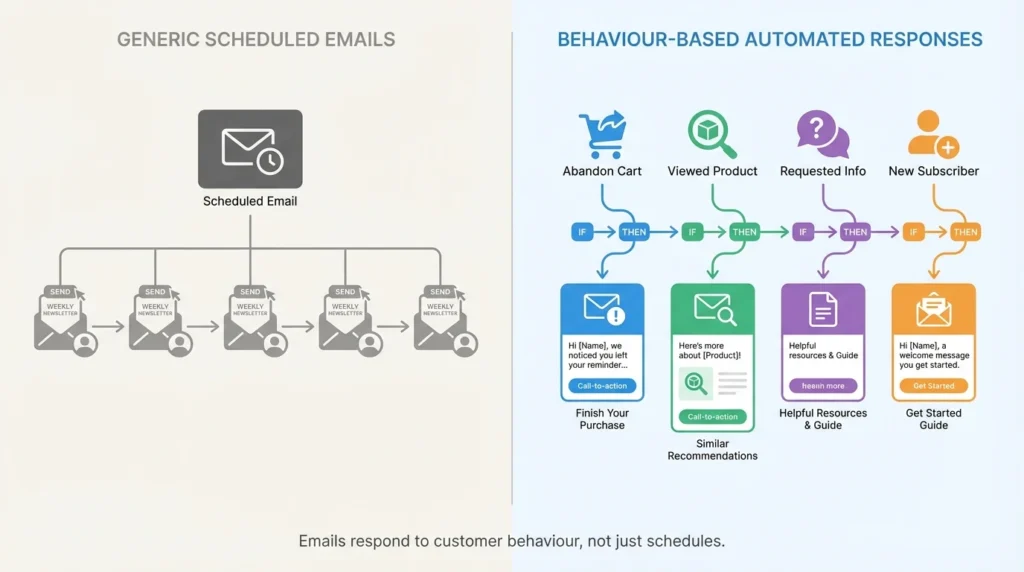
Email marketing automation changes how communication works by linking emails to customer actions instead of calendars. Messages are triggered when something happens — a form is submitted, a booking is made, or an interaction takes place.
Instead of managing individual campaigns, teams define the logic once. Emails then send automatically at the right moment, based on behaviour, timing, or status changes. This keeps communication relevant without requiring constant manual updates.
Over time, this creates more consistent engagement. Customers receive emails that match their activity, while teams gain confidence that important messages are delivered without being forgotten or delayed.
By responding to behaviour instead of schedules, email becomes a reliable part of ongoing communication rather than a one-off task.
What Improves When Emails Are Triggered, Not Scheduled
The biggest shift with email marketing automation isn’t sending more emails. It’s sending fewer, better-timed messages that match what customers are already doing.
Messages Arrive When Interest Is Highest
Emails are sent immediately after an action, while the customer is still engaged. This improves open rates and responses without increasing volume.
Follow-Ups Stop Being Forgotten
Once the logic is set, follow-ups send automatically. Important messages don’t rely on someone remembering to click send later.
Communication Feels Personal Without Manual Effort
Because emails respond to behaviour, messages feel relevant even when sent at scale. Customers receive information that matches where they are, not where a campaign calendar says they should be.
Teams Spend Less Time Managing Campaigns
Instead of constantly creating and adjusting one-off campaigns, teams focus on improving messaging while automation handles delivery.
How Automated Emails Actually Run
Email marketing automation operates continuously in the background, reacting to customer behaviour without requiring manual oversight.
How Automated Emails Actually Run
Emails are triggered by what customers do — not by fixed schedules. Actions like sign-ups, replies, or inactivity determine when communication begins.
Timing Is Controlled Without Micromanagement
Delays, spacing, and send windows are handled automatically so messages arrive at appropriate times instead of all at once.
Content Changes Based on Engagement
Whether a recipient opens or ignores an email influences what happens next, allowing communication to adjust without manual decisions.
Sequences Continue Without Manual Follow-Up
Once active, email sequences progress on their own, ensuring follow-ups happen even when teams are focused elsewhere.
Send the Right Email at the Right Time
Automated emails respond to customer activity so follow-ups happen consistently without manual effort.
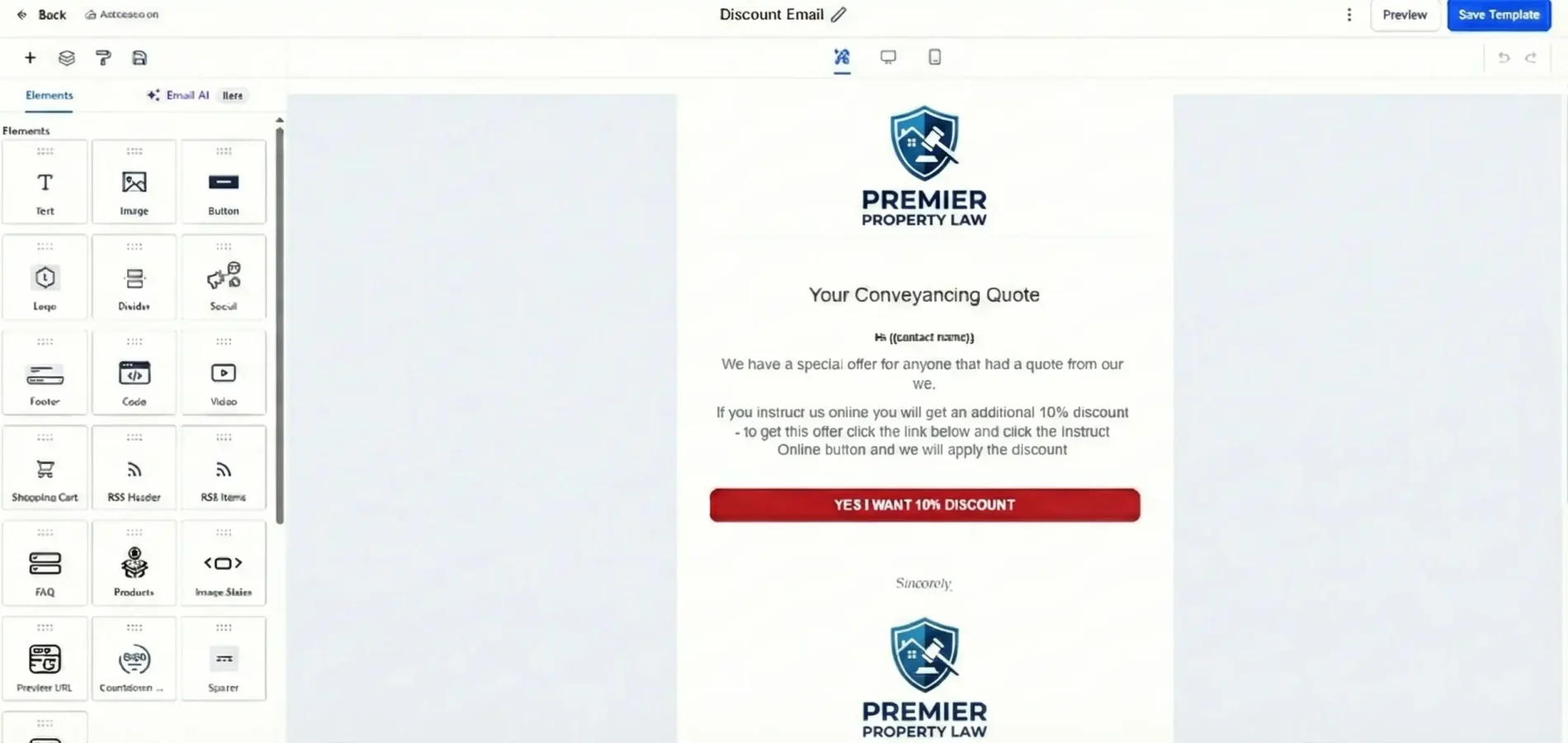
How Automated Emails Appear in Real Use
Email marketing automation works quietly inside daily workflows.
Fixxable sends, tracks, and adapts emails based on real customer behaviour — without constant manual input.
Messages Trigger at the Right Moment
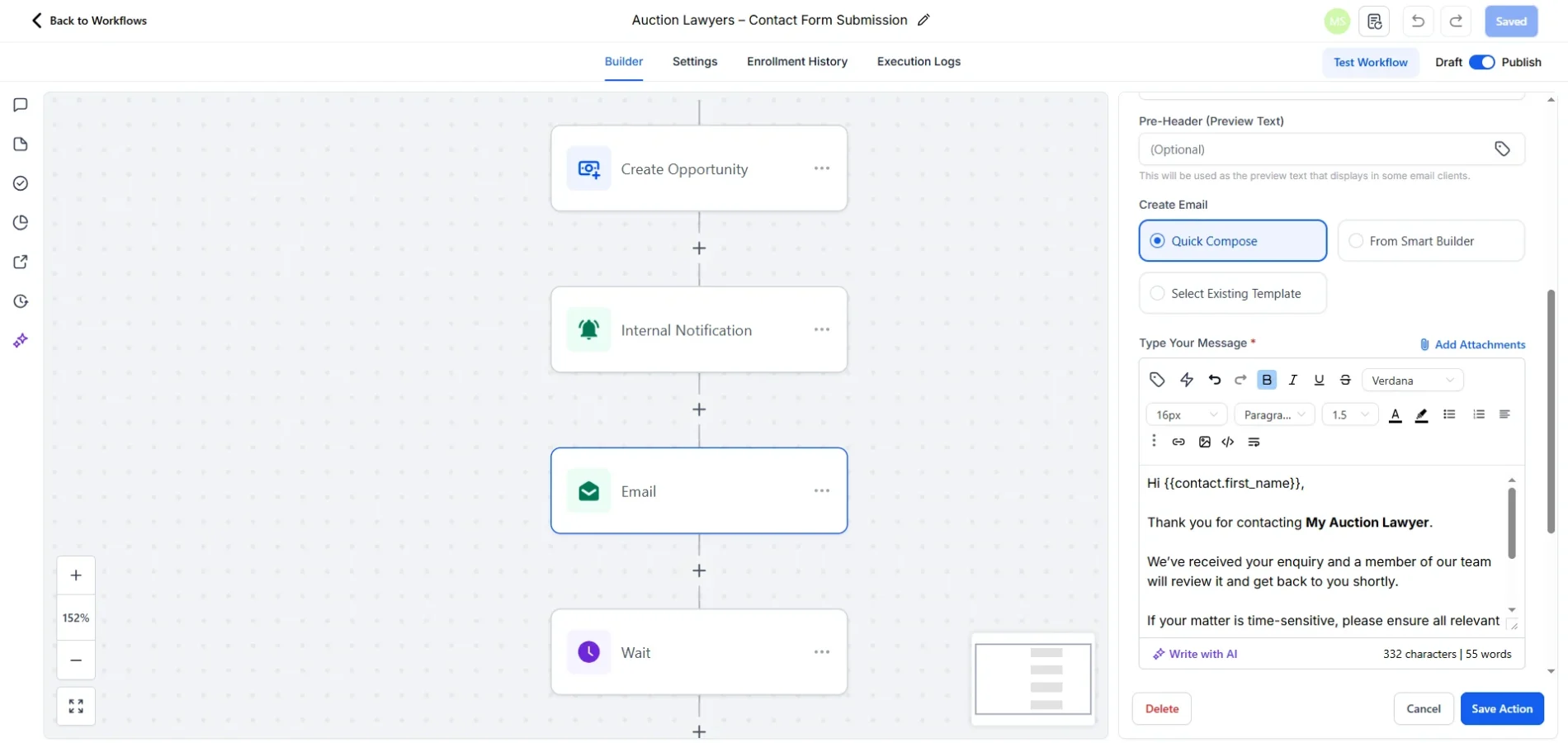
Emails are sent automatically when customers take specific actions, such as signing up, booking, replying, or completing a step. Communication happens while interest is still active.
Engagement Is Tracked Automatically
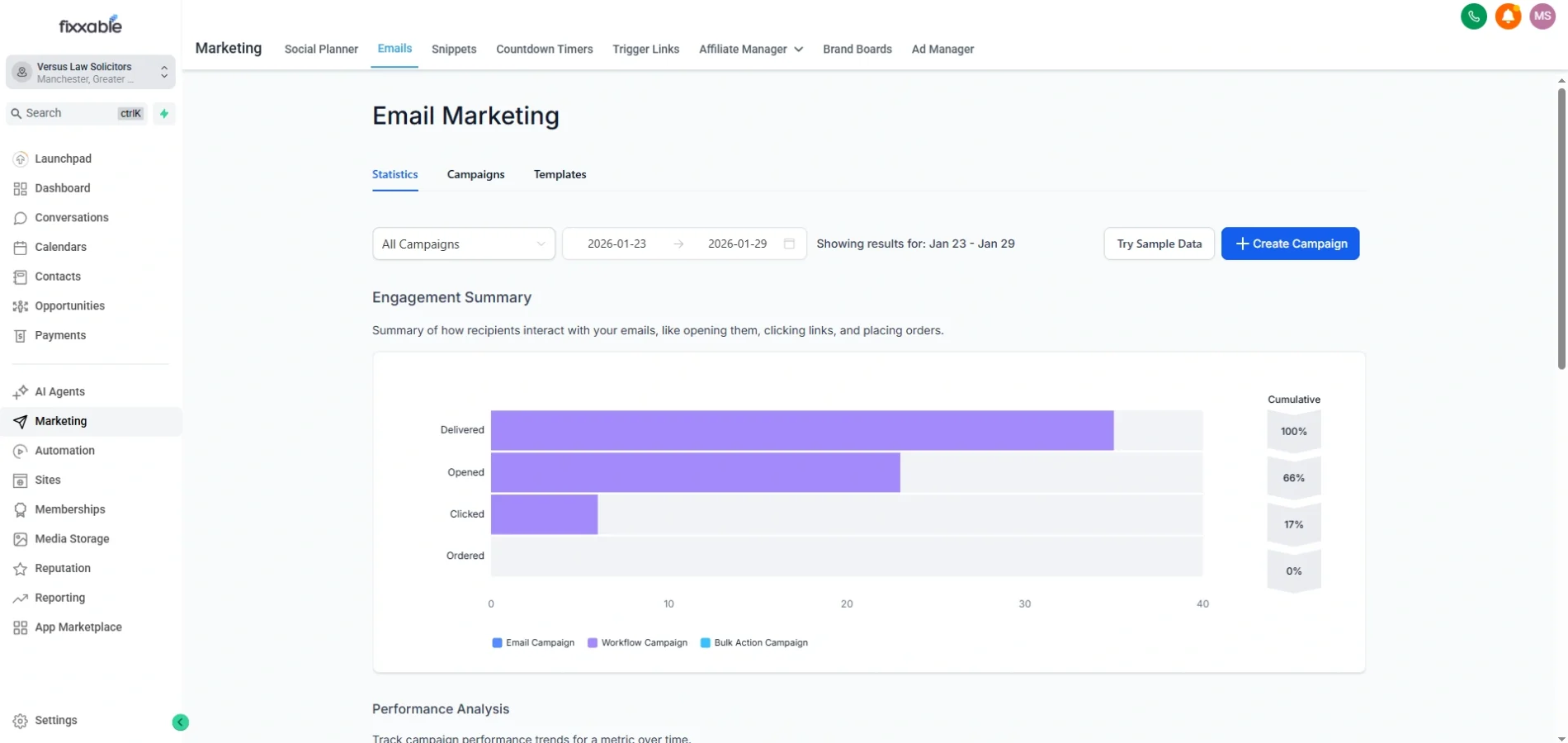
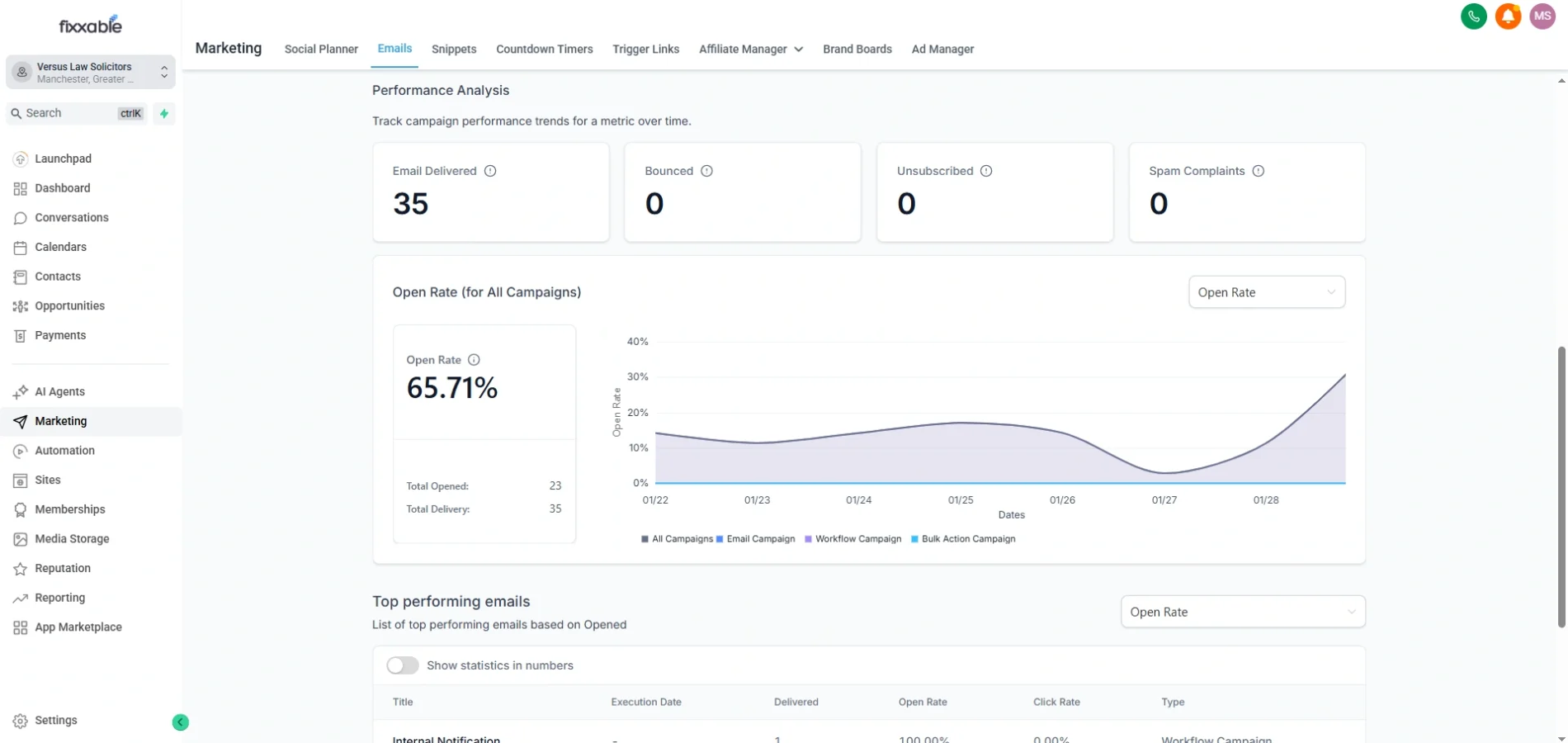
Each email records delivery, opens, and clicks. Teams can instantly see how customers interact with messages, removing uncertainty around performance.
Messages Stay Linked to the Customer
All automated emails remain visible inside the contact record. Teams can review what was sent, when it was sent, and how the customer responded at any time.
Teams Always Know What’s Running
At a glance, teams can see which emails are active, completed, or pending for each contact. Nothing runs silently or gets forgotten.
Delays and Timing Are Easy to Understand
Teams can clearly see when emails are sent immediately and when delays are applied. This makes it easy to understand how messages flow without guessing why something was sent later.
Different Actions Lead to Different Paths
Customers who engage continue receiving relevant emails, while those who don’t are routed differently. This prevents over-sending and keeps communication aligned with interest.
Follow-Ups Happen Without Manual Chasing
If a customer doesn’t respond, Fixxable automatically handles follow-ups. This keeps communication moving without relying on reminders or manual outreach.
Common Questions About Email Marketing Automation
Do automated emails replace manual campaigns?
No. Automation handles ongoing communication and follow-ups, while manual campaigns can still be used for one-off announcements or promotions.
Can emails be triggered by different customer actions? Yes. Emails can respond to actions like sign-ups, replies, inactivity, or changes in status.
Yes. Emails can respond to actions like sign-ups, replies, inactivity, or changes in status.
Can emails be triggered by different customer actions?
Yes. Emails can respond to actions like sign-ups, replies, inactivity, or changes in status.
Is it possible to see which emails were sent to a contact? Yes. Each contact keeps a record of emails sent and how the recipient interacted with them.
Yes. Each contact keeps a record of emails sent and how the recipient interacted with them.
Does automation help reduce manual follow-up work?
Yes. Once set up, follow-ups run automatically, reducing the need for repeated manual sends.
Let Emails Respond Automatically by Email Marketing Automation
Keep communication timely and relevant without managing every send.