
Document Signing Without Printing, Chasing, or Delays
Document signing lets you send agreements digitally and collect signatures without paperwork or back-and-forth emails. Documents are shared, signed, and completed online, keeping the process simple for both your team and your customers.
Instead of waiting days for printed forms or reminders, documents move forward as soon as recipients open them.
When Paperwork Slows Decisions Down
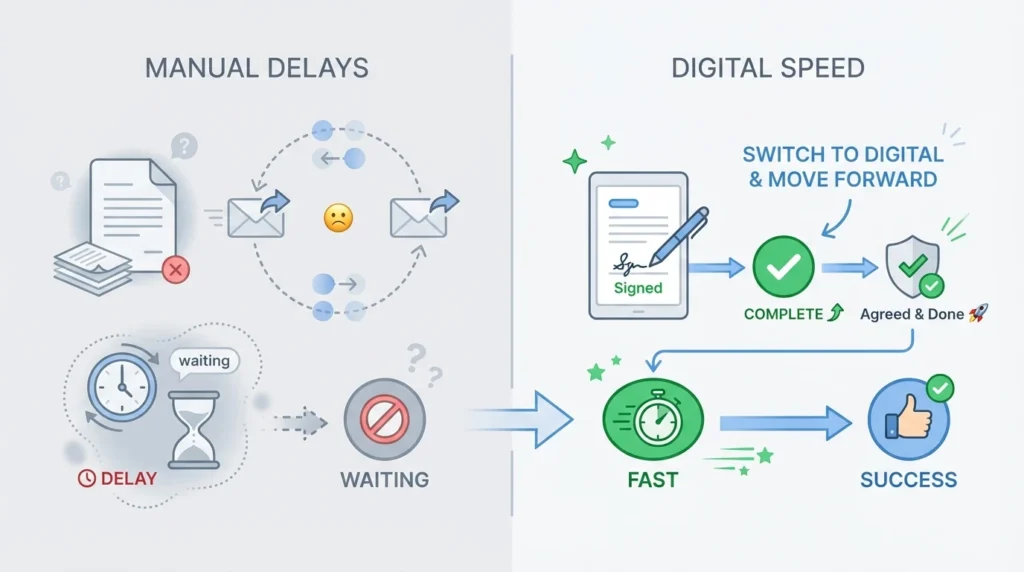
Agreements often stall not because people aren’t ready to proceed, but because the signing process introduces friction. Documents are sent as attachments, printed, scanned, re-sent, or forgotten altogether. Each step adds delay, and every delay increases the chance that momentum is lost.
In many businesses, teams spend more time chasing signatures than progressing work. Emails go unanswered, documents are misplaced, and no one is quite sure whether something has been viewed, signed, or ignored. This creates uncertainty for both sides and turns a simple approval into a drawn-out process.
As volume increases, manual document handling becomes harder to manage. Tracking who has signed what — and who still needs a reminder — turns into an administrative burden that distracts from actual business activity.
Moving Agreements Forward Without Friction
Fixxable’s document signing keeps agreements moving by removing unnecessary steps. Documents are sent digitally, signatures are collected online, and progress is visible from the moment a document is shared.
Recipients can review and sign documents from any device without downloading files or printing pages. Each action — viewed, signed, completed — updates automatically, so teams always know where things stand.
This approach reduces delays and removes guesswork. Instead of chasing responses, teams can focus on the next step, confident that agreements are progressing as expected.
By making document completion straightforward and trackable, Fixxable helps businesses close loops faster and with less effort.
Electronic signatures are legally recognised in the UK and many other regions, making digital document signing a valid and enforceable alternative to paper-based agreements.
What Improves When Signing Stops Being Manual
The biggest benefit of digital document signing isn’t speed alone. It’s removing uncertainty from a process that often stalls without anyone noticing.
Agreements Don’t Lose Momentum
Documents are sent, opened, and signed in one continuous flow. There’s no pause caused by printing, scanning, or re-sending files, so decisions move forward while intent is still high.
Teams Stop Chasing Signatures
Instead of sending reminders blindly, teams can see whether a document has been viewed or completed. Follow-up becomes intentional instead of repetitive.
Fewer Errors and Missing Pages
Digital signing removes common issues like incomplete fields, missing initials, or outdated versions being signed. Documents are completed correctly the first time.
Signing Works the Same on Any Device
Recipients can review and sign documents from their phone, tablet, or desktop without installing anything. This removes friction caused by device limitations or compatibility issues.
How Documents Move From Sent to Signed
Document signing fits into daily work without adding process. Documents move forward naturally as recipients open, review, and sign.
Documents Are Shared Digitally
Agreements are sent online instead of as attachments that need downloading or printing. Recipients open the document directly and see exactly what needs to be signed.
Signatures Are Added in Place
Signature fields are completed inside the document itself. There’s no need to print, scan, or re-upload files, reducing errors and delays.
Completion Is Recorded Automatically
Once a document is signed, its status updates immediately. Teams can see when signing is complete without chasing confirmations or checking email threads.
Move Agreements Forward Without Waiting
Send documents, collect signatures, and track completion without manual chasing or uncertainty.
How Document Signing Is Used in Real Situations
Document signing happens when decisions need to move forward.
Fixxable makes it clear, fast, and reliable — without chasing updates or dealing with paperwork.
Always Know Where an Agreement Stands
Teams can instantly see whether a document has been sent, viewed, or signed. No checking email threads, no guessing, and no follow-up messages just to ask for status.
Documents Are Completed Correctly
Required fields and signatures are clearly defined, preventing missed initials, skipped pages, or incomplete forms that slow things down later.
Signing Works Anywhere, on Any Device
Recipients can review and sign documents directly from their phone or laptop. This removes delays caused by printing, scanning, or waiting to access a computer.
Signed Agreements Stay Easy to Access
Once signed, documents are securely stored and linked for future reference. Teams can quickly find agreements without searching inboxes or file folders.
Common Questions About Document Signing
Do recipients need to install anything to sign? No. Documents can be opened and signed directly from a browser on desktop or mobile.
No. Documents can be opened and signed directly from a browser on desktop or mobile.
Can we see when a document has been viewed or signed?
Yes. Document status updates automatically so teams know exactly where each agreement stands.
What happens if someone doesn’t complete all required fields?
Required fields are clearly marked, reducing incomplete or incorrect submissions.
Are signed documents stored for later reference?
Yes. Completed documents remain accessible without searching through emails or folders.
Is document signing suitable for high-volume use?
Yes. The process scales without adding administrative work as document volume increases.
Is document signing legally valid?
Yes. Documents signed through Fixxable are legally valid and enforceable. Each signature is time-stamped and recorded to provide a clear audit trail.
Can multiple people sign the same document?
Yes. Documents can be sent to multiple recipients in sequence or at the same time. Each signer is guided through their required fields in the correct order.
Can reminders be sent if a document isn’t signed?
Yes. Automatic reminders can be sent if a document hasn’t been completed, helping speed up approvals without manual follow-up.
Can documents be signed from any device?
Yes. Documents can be reviewed and signed from desktop, tablet, or mobile devices without any special setup, making it easy for recipients to sign wherever they are.
Is document signing secure?
Yes. Documents are protected with secure access links and activity tracking, ensuring only authorised recipients can view and sign them.
Simplify Document Signing From Start to Finish
Create smoother approvals with fast, online document signing.