
A CRM System That Keeps Every Interaction Connected
A CRM system brings contacts, conversations, and activity together so teams always know who they’re speaking to and what’s happened before. Instead of scattered notes and disconnected tools, everything stays organised in one place.
This helps businesses respond with context, follow up consistently, and avoid losing track of important relationships as activity increases.
When Customer Information Lives in Too Many Places
As a business grows, customer information spreads quickly. Contacts sit in inboxes, call notes live in personal notebooks, follow-ups are remembered instead of tracked, and conversations are scattered across different tools.
When information isn’t centralised, teams lose context. A customer calls back and no one knows what was discussed last time. Messages are answered without awareness of previous issues. Follow-ups are missed simply because no single place shows what needs to happen next.
This fragmentation creates friction internally and confusion externally. Customers repeat themselves, teams duplicate work, and important opportunities slip through gaps that are hard to see until it’s too late.
Without a structured CRM system, businesses don’t just lose organisation — they lose continuity. Industry guides highlight the importance of CRM systems for maintaining accurate customer data and consistent communication.
Bringing Contacts, Conversations, and Activity Together
Fixxable’s CRM system is designed to keep customer information connected as activity grows. Instead of treating contacts, messages, and follow-ups as separate pieces, everything is organised around a single customer view.
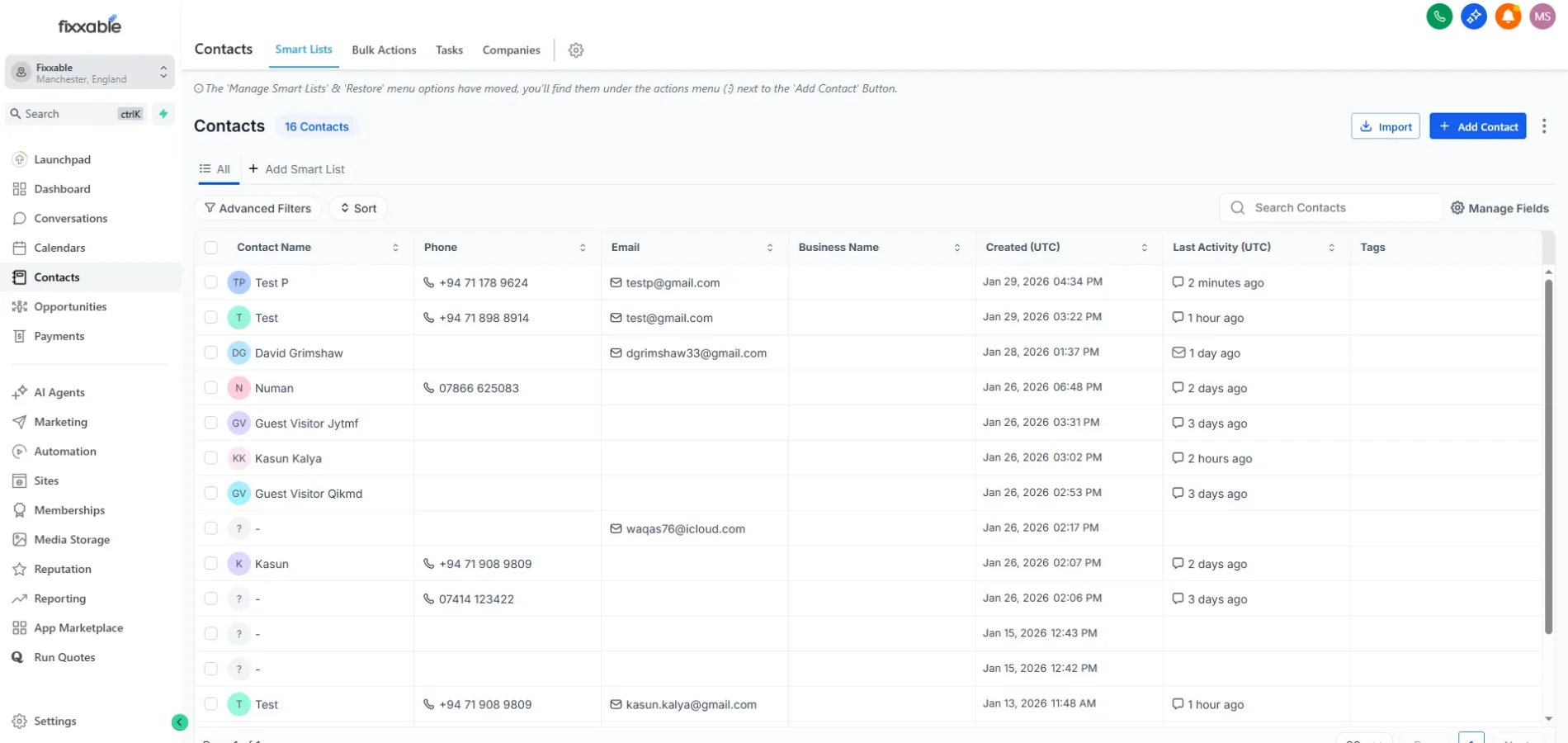
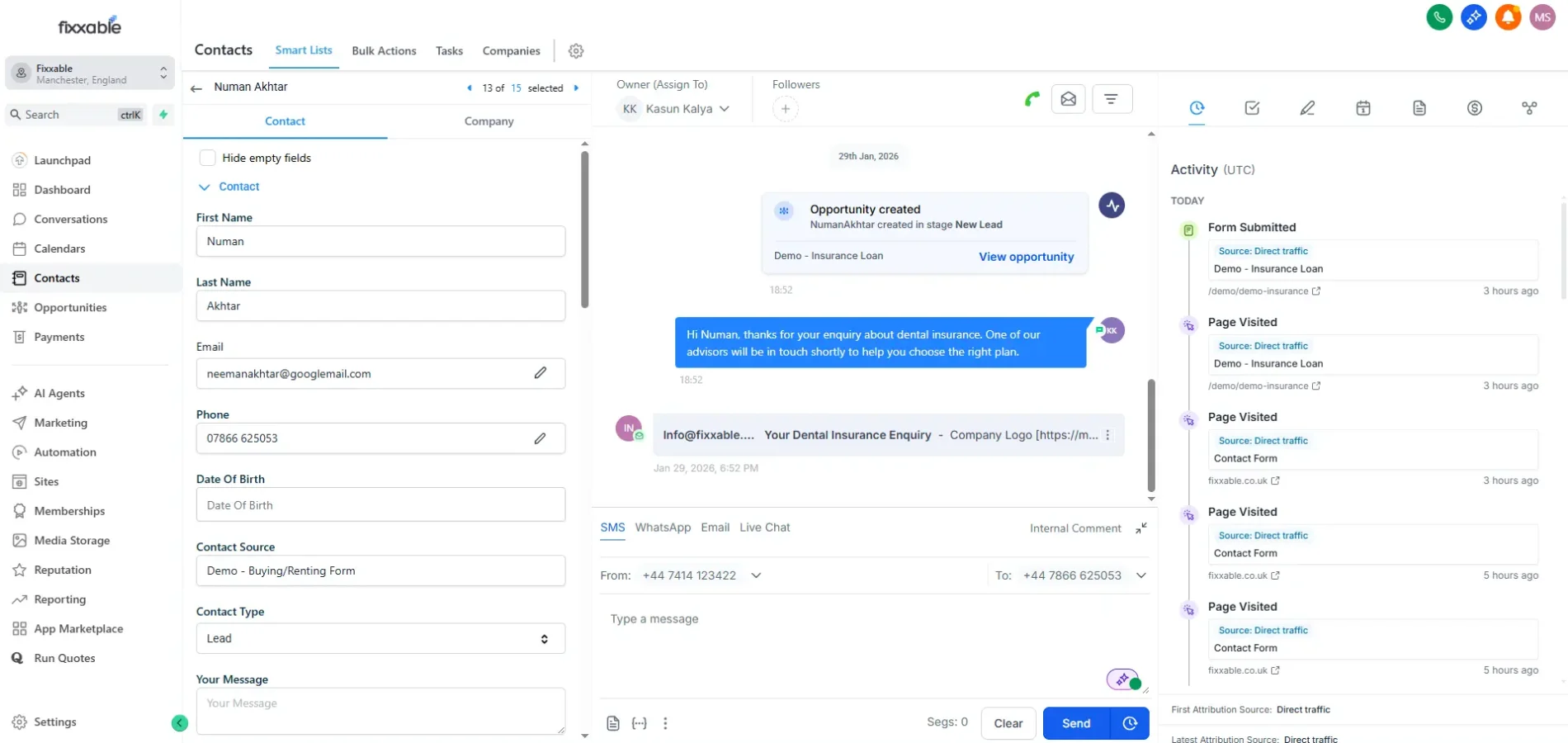
Each contact record shows who the customer is, how they’ve interacted, and what’s happened so far. Calls, messages, notes, and actions all live together, giving teams immediate context before responding.
This structure allows businesses to move away from reactive communication. Follow-ups are clearer, conversations feel continuous, and teams spend less time searching for information and more time acting on it.
By centralising activity into one system, Fixxable helps businesses stay organised without adding complexity.
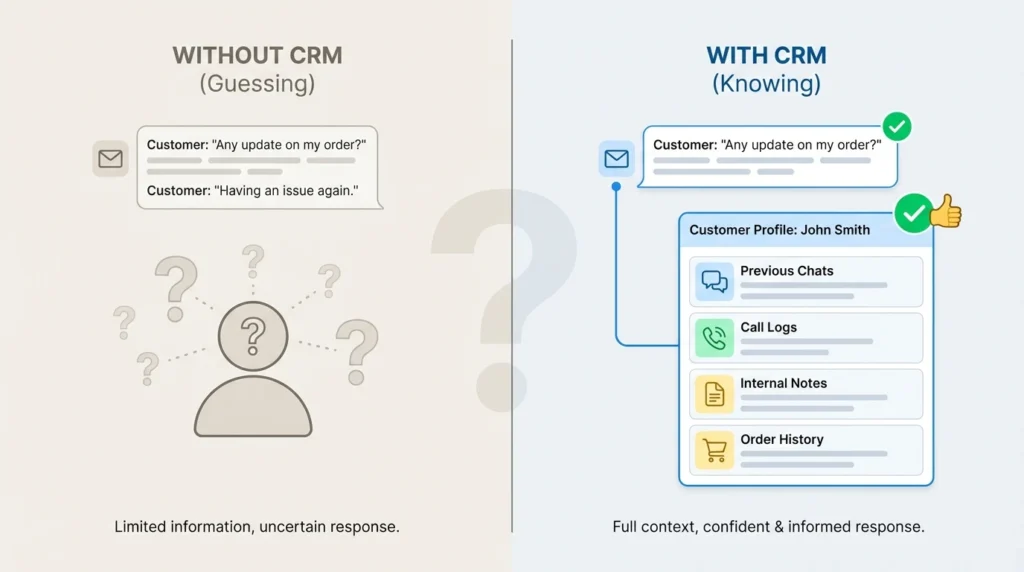
What a Central CRM System Actually Changes
A CRM system doesn’t improve a business by adding more data. It improves things by reducing confusion — about people, conversations, and next steps.
Context Is Available Before Anyone Responds
Instead of reacting to messages blindly, teams see who the contact is, what’s already happened, and why the conversation exists. This prevents repeated questions and inconsistent responses.
Follow-Up Stops Depending on Individuals
When actions and notes live inside the CRM, progress doesn’t rely on one person remembering what to do next. Conversations move forward even when team members change or workloads increase.
Customer History Builds Over Time
Every interaction adds to a clear timeline. Calls, messages, and updates accumulate into a usable history instead of scattered fragments across tools.
Growth Doesn’t Create More Admin
As contacts and conversations increase, organisation stays intact. The CRM absorbs more activity without forcing teams to invent new spreadsheets, labels, or workarounds just to keep track.
How the CRM system Fits Into Daily Work
The CRM works in the background while conversations happen, keeping information organised without asking teams to “maintain” the system.
Information Collects Itself as People Interact
Contacts, messages, and call activity are added as interactions happen. Teams don’t pause to log details — the record builds naturally through real use.
Every Conversation Stays Anchored to a Contact
Calls, chats, and notes stay attached to the same contact over time. This prevents duplication, lost context, and scattered histories across tools.
The CRM Becomes the Reference Point
When someone needs to follow up or step into a conversation, the CRM shows what’s happened and what still needs attention, without relying on personal memory.
Stay On Top of Every Conversation
Keep contacts, conversations, and follow-ups organised so nothing gets missed as activity increases.
How Teams Actually Use the CRM System
The CRM isn’t something teams open only for setup or reporting.
Fixxable’s CRM is used while conversations are happening, follow-ups are due, and handovers take place.
Full Customer History Before Every Reply
Before responding, teams can instantly see previous calls, messages, notes, and actions in one place. This prevents repeated questions and ensures responses are always informed.
One Shared View for the Entire Team
Multiple team members can work from the same contact record and see the same history. Ownership doesn’t break context, even when conversations are passed between people.
Notes Added Without Interrupting the Conversation
Important details are captured directly inside the contact record while conversations are still fresh. No switching tools, no lost information, and no follow-ups written from memory.
Clear Visibility Into What Needs Action
Contacts that require follow-ups or responses are easy to spot at a glance. Teams always know what still needs attention without digging through messages or inboxes.
Common Questions About Using a CRM
Can multiple team members work with the same contact?
Yes. Contact records are shared, so anyone can see previous interactions, notes, and next actions without relying on handovers or explanations.
Can multiple team members work with the same contact?
Yes. Contact records are shared, so anyone can see previous interactions, notes, and next actions without relying on handovers or explanations.
What happens when someone forgets to log notes or updates?
The CRM reduces reliance on manual logging by capturing activity automatically. Notes can be added easily, but core interaction history is already there.
Is the CRM system useful if we handle a high volume of enquiries? Yes. As activity increases, the CRM keeps information organised so volume doesn’t turn into confusion or missed follow-ups.
Yes. As activity increases, the CRM keeps information organised so volume doesn’t turn into confusion or missed follow-ups.
How does the CRM system help with follow-up consistency?
Follow-ups are visible inside contact records, making it clear what still needs attention and reducing reliance on memory or external reminders.
Bring Order to Customer Relationships
See how a central CRM keeps conversations connected and follow-up consistent.