
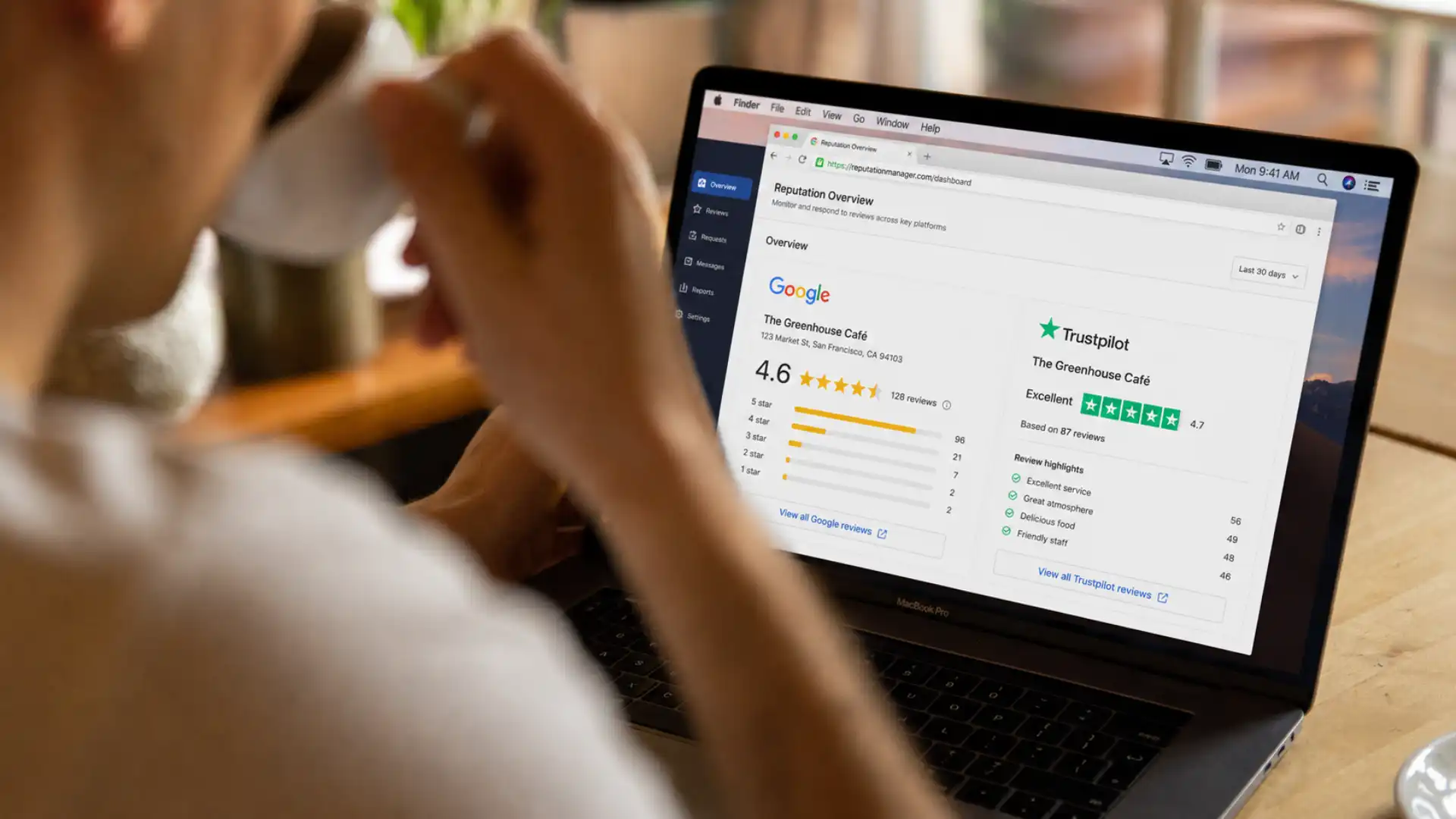
How to get more five-star reviews on autopilot
Knowing how to get more five-star reviews on autopilot is one of the highest-leverage things a UK small business can do in 2026. Reviews influence purchasing decisions, drive local search rankings, and build the trust that turns browsers into buyers — yet most businesses still rely on hoping a happy customer will remember to leave feedback. They almost never do.
This guide walks you through a practical, step-by-step workflow for requesting, routing, and responding to reviews across Google and Trustpilot — with timing benchmarks you can implement immediately.
Why most businesses collect reviews slowly — and how to fix it
The problem is not your service. It is the absence of a system.
Research consistently shows that the vast majority of satisfied customers will leave a review when asked directly — but fewer than one in ten will do it without a prompt. The gap between the experience you deliver and the reviews you collect is almost entirely a process problem, not a quality one. This is exactly where automated review requests close the loop.
Manually asking is inconsistent. You might remember after some jobs and forget after others. Busy periods mean weeks without any new feedback. A competitor who asks every single customer — automatically — will outrank you simply through volume and frequency, regardless of whether their service is better.
Building an automated system means your reviews grow steadily in the background whether you are on-site, on holiday, or handling your most demanding client.
Step 1: Define your trigger points
The most important principle in any review automation workflow is timing. The best moment to request a review is when your customer still feels positive about the experience — typically within one to two hours of the service being completed.
Every business has its own natural trigger points. Common examples include:
- A job marked as complete in your CRM
- A payment successfully collected
- An appointment checked out in your booking system
- A delivery confirmed as received
- A client onboarding call or project milestone reached
The key is to link your review request to a specific, measurable event — not to a general sense that the job went well. Your CRM system should be the central record that fires each trigger, ensuring no completed job is ever missed.
Step 2: Choose your delivery channel
Automated review requests work across SMS, email, and WhatsApp. Each has a different role in your workflow, and the best results come from using them in combination.
SMS — your primary channel
SMS is the fastest and most read channel for review requests. Open rates for text messages are significantly higher than email across all demographics, and most people act on a message within minutes of receiving it.
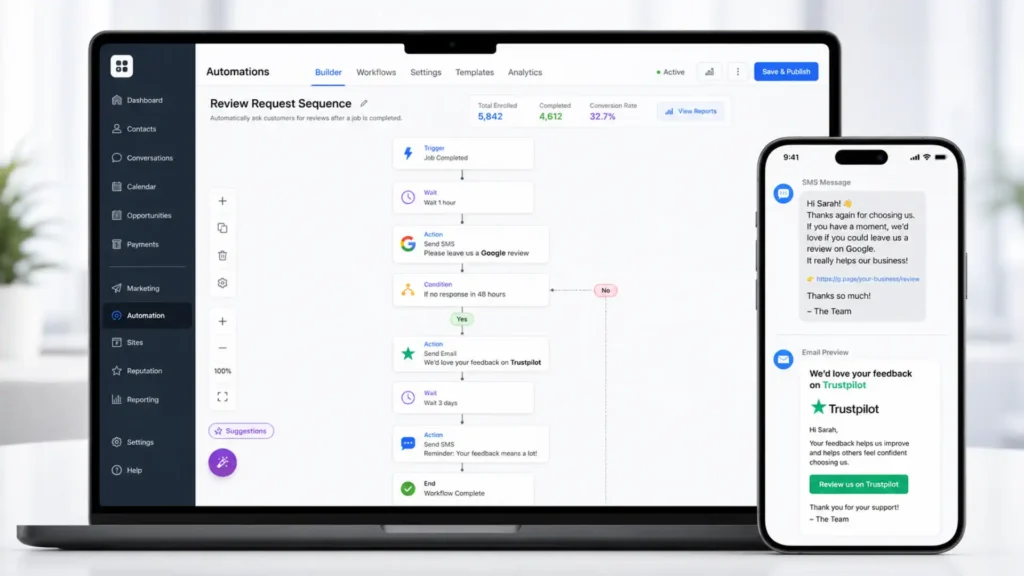
The ideal SMS review request is short, personal, and contains a single direct link:
“Hi [Name], thanks for choosing us today. We’d love it if you could leave us a quick review — it really makes a difference. [Link]”
Send this within one to two hours of job completion. Your WhatsApp and SMS marketing tools can fire this automatically without manual intervention every time.
Email — your follow-up channel
If a customer does not respond to the SMS within 48 to 72 hours, send an email follow-up. Email allows more context — you can include your logo, a short summary of the job, and a clearer call to action with buttons for both Google and Trustpilot.
This is where your email marketing automation does the heavy lifting. A simple two-step sequence — SMS on day one, email on day three — will typically double the number of reviews you collect compared to either channel alone.
WhatsApp — your high-engagement option
For businesses whose customers primarily communicate via WhatsApp, this channel can outperform both SMS and email. A WhatsApp review request feels more personal and conversational, and the message can include images, branded graphics, or even a short personalised voice note from the team.
Use WhatsApp as a primary channel where customer consent is already in place, or as a third touchpoint for customers who have not responded to SMS or email.
Want to set this up for your business?
If you are ready to start collecting reviews automatically across Google and Trustpilot, get in touch with the Fixxable team and we will walk you through how to connect your trigger points, set up your message sequences, and route feedback correctly — all within your existing workflow.
Step 3: Route feedback with a smart review funnel
Sending every customer directly to Google is a mistake. A small proportion of customers will have had a less than ideal experience, and without a filter in place, their frustration goes public before you have had a chance to resolve it.
A review funnel — sometimes called a feedback gate — works like this:
- The customer receives a message asking how they would rate their experience (typically a simple 1–5 or thumbs up/down prompt).
- If they rate four or five stars, they are immediately directed to your Google or Trustpilot review page with a pre-populated link.
- If they rate three stars or below, they are routed to a private feedback form where you can address the issue before it becomes a public complaint.
This approach is fully compliant with UK consumer law, including the Digital Markets, Competition and Consumers Act 2024 (DMCCA), as long as you do not exclude or suppress negative reviews across the board — you are simply giving dissatisfied customers a faster route to resolution. The key is that the public-facing channel remains open to everyone; you are just prioritising contact for those who have concerns.
Online reputation management for small businesses depends on this kind of thoughtful routing. A business with 120 reviews and a 4.7 average will always outperform one with 40 reviews and a 5.0 that looks suspiciously perfect.
Step 4: Optimise for Google and Trustpilot separately
Google and Trustpilot serve different purposes and attract different audiences. Your automation workflow should treat them separately.
Google reviews
Google reviews directly influence your position in local search results. Google’s algorithm looks at review volume, recency, and the presence of relevant keywords within review text. Encouraging customers to mention the service they received and their location makes each review more valuable from a search perspective.
When sending a Google review request, use your direct review link from Google Business Profile — this bypasses the need for customers to search for your business and reduces the steps between clicking the link and leaving the review.
Timing benchmark: aim for a minimum of two to four new Google reviews per month. This signals to Google that your business is active and consistently delivering good service.
Trustpilot reviews
Trustpilot carries weight in sectors where trust and credibility are paramount — financial services, legal, e-commerce, healthcare, and home services. Customers researching higher-value decisions often check Trustpilot independently of Google.
Trustpilot also has its own content guidelines and fraud detection systems, so reviews collected through proper automation — genuine requests to real customers — carry more weight than manually solicited feedback.
Timing benchmark: request Trustpilot reviews via email rather than SMS, as the Trustpilot platform is better suited to slightly longer, considered responses. A three-day delay after service completion tends to produce more detailed and keyword-rich feedback, which strengthens your online reputation management for small businesses profile significantly.
Step 5: Respond to every review — and do it quickly
- Five-star reviews: thank the customer by name, mention the specific service or job, and include a keyword naturally. Example: “Thank you, Sarah — we are so glad the bathroom renovation went smoothly. Always a pleasure working in [town name].”
- Four-star reviews: acknowledge what went well and gently invite them to share what could have been better directly with your team.
- Three stars or below: respond calmly, acknowledge their experience without being defensive, and provide a direct contact to resolve the issue offline.
Timing benchmarks: your review automation calendar
To make this practical, here is the full workflow mapped against timing:
- 0–2 hours after job completion: SMS review request sent automatically via your CRM trigger.
- Day 3 (if no review left): Email follow-up with Google and Trustpilot links, plus a brief reminder of the service provided.
- Day 7 (optional): WhatsApp message for high-value clients or those who communicate primarily on that channel.
- Within 1 hour of a 5-star review appearing: Owner response posted, mentioning the service and location naturally.
- Within 24 hours of a 3-star or below review appearing: Calm, professional response posted with a direct contact for resolution.
Running this system consistently — even with just five to ten customers a week — will generate a meaningful and growing review profile within 60 to 90 days. The compounding effect of consistent review velocity is what separates businesses that dominate local search from those that remain invisible.
What to avoid when automating review requests
There are a few common mistakes that undermine an otherwise well-built system.
- Incentivising reviews — offering discounts, freebies, or rewards in exchange for positive feedback is against Google’s and Trustpilot’s policies, and risks penalty under the DMCCA 2024.
- Sending requests too late — waiting more than 24 hours after a job reduces response rates sharply. Strike while the positive experience is still fresh.
- Sending to the wrong customers — always respect opt-out preferences and ensure your contact data is GDPR-compliant before triggering any automated sequence.
- Ignoring Trustpilot — many UK businesses focus exclusively on Google and miss a significant trust signal for higher-value purchase decisions.
- Failing to respond — automated requests without a response process create a one-sided reputation that feels unmanaged.
Start collecting five-star reviews automatically today
Building a review system that runs on autopilot is one of the fastest ways to strengthen your business's online presence and rank higher in local search. Whether you are starting from scratch or looking to make your existing process consistent and scalable, Fixxable gives you all the tools in one connected platform. No manual chasing. No forgotten requests. Just a steady, growing stream of five-star feedback — automatically.