
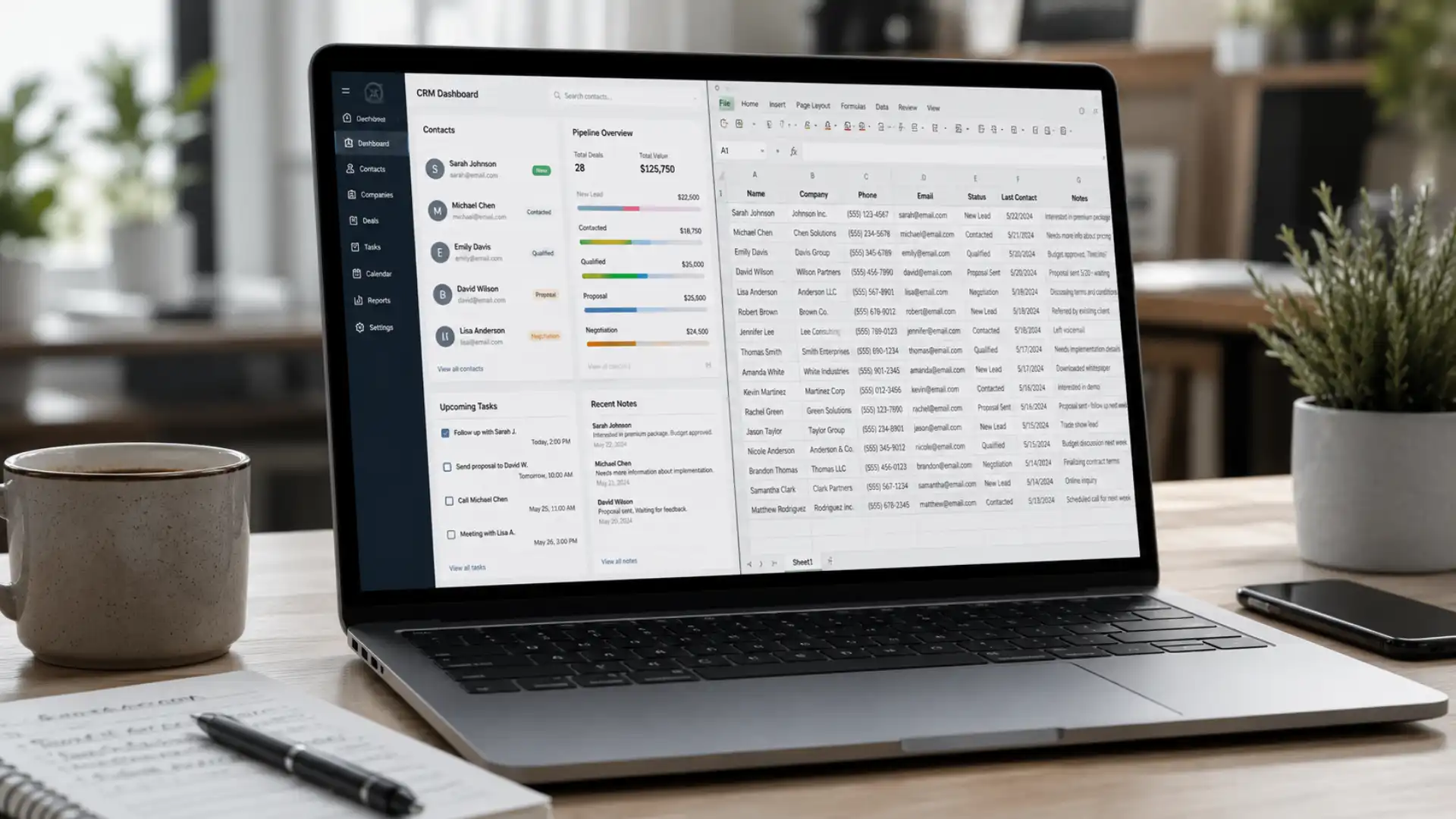
CRM vs spreadsheet: when do small businesses need to upgrade?
The CRM vs spreadsheet debate is one that almost every growing small business faces eventually. You start out with a simple contact sheet. It works fine. Then one day you realise you’ve missed a follow-up, a sales lead has gone cold, or two people on the team updated the same row and now no one knows which version is correct.
That moment — the moment the spreadsheet starts costing you time and money — is exactly when it’s worth asking whether a small business CRM is the right next step. This guide cuts through the noise and gives you a clear, practical answer.
What a spreadsheet does well — and where it falls short
Let’s be fair to spreadsheets. They’re free, flexible, and almost everyone knows how to use one. For a very early-stage business with a small handful of customers, a well-organised spreadsheet is perfectly adequate.
You can track names, phone numbers, job dates, invoice amounts, and any notes you like. If you’re a sole trader with 20 customers, a spreadsheet is probably all you need.
But spreadsheets were built to store and calculate data — not to manage relationships or automate actions. As your business grows, those limitations become more painful:
- No automatic reminders or follow-up alerts — you have to remember everything yourself
- No shared real-time access — multiple people editing creates version conflicts and overwritten data
- No communication history — you can’t see all the emails, calls, and notes for a customer in one place
- No pipeline view — you can’t see at a glance which leads are warm, which are stalled, and which have gone cold
- No automation — every task, from sending a follow-up email to booking an appointment, still has to be done manually
What is a small business CRM — and what does it actually do?
CRM stands for Customer Relationship Management. A small business CRM is software that brings all your customer data, communication history, and sales activity together in one place — and then automates the repetitive tasks that currently eat up your time.
Instead of a flat table of names and numbers, a CRM gives you a living record for each contact: every call, email, quote, appointment, and note — all linked together. And it can automatically trigger actions based on what happens: a new lead comes in, a quote is sent, an appointment is booked.
What a CRM replaces (and improves)
A good small business CRM can replace or connect:
- Your appointment booking system — no more back-and-forth booking calls
- Email marketing and follow-up sequences — automated, not manual
- Your sales pipeline — a visual board showing every lead and where it stands
- Business automation — tasks triggered automatically when a contact moves from one stage to the next
The result is less time spent on admin, fewer leads falling through the cracks, and a much clearer picture of how your business is actually performing. That’s the core argument for business automation — not replacing the human side of your business, but removing the manual overhead that slows it down.
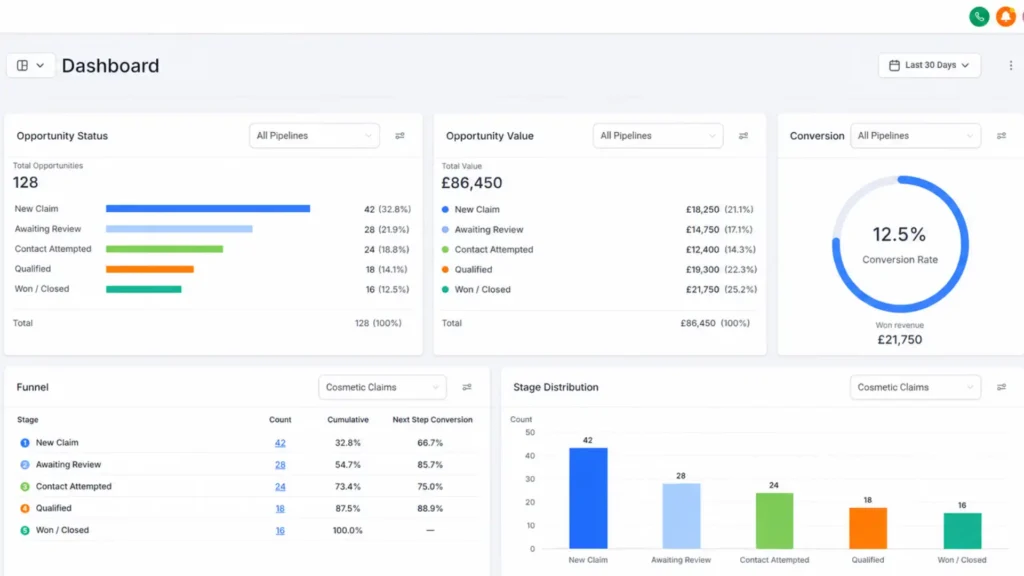
CRM vs spreadsheet — a direct comparison
Here’s how the two tools compare across the things that matter most to a growing small business:
| Channel | Avg open rate | Approx cost per message | Typical ROI (UK data) |
|---|---|---|---|
SMS marketing |
96–98% |
3p–8p per SMS |
£16+ per £1 spent |
Email marketing |
20–28% |
<1p per email |
£35+ per £1 (lower per unit) |
Paid social ads |
Variable (CTR ~1–3%) |
£0.50–£2.00 per click |
Variable; often £3–£8 per £1 |
Leaflet drops |
Estimated 1–5% response |
15p–40p per leaflet |
Low; hard to measure |
The cost difference is the most common reason businesses stick with spreadsheets longer than they should. But when you factor in the time spent on manual admin — and the value of the leads or customers lost because no one followed up — the cost of business automation usually pays for itself quickly.
Wondering if your business is ready for a CRM?
If any of the signs below feel familiar, you’re probably past the point where a spreadsheet is serving you well. Book a free demo with Fixxable and we’ll show you exactly what’s possible for your type of business — no jargon, no pressure.
The five signs your small business has outgrown a spreadsheet
1. You've missed a follow-up and lost a sale
This is the clearest sign. If a customer enquired, you meant to call them back, and then forgot — that’s a sale lost to a spreadsheet limitation. A CRM automatically reminds you to follow up, or even sends the follow-up message on your behalf.
2. You don't know where a lead is in your pipeline
If someone asked you right now “how many live quotes do you have out, and which ones are most likely to convert?” — could you answer in 30 seconds? With a spreadsheet, probably not. With a CRM, it’s on screen the moment you open it.
3. More than one person is managing customer data
The moment a second person starts editing the same spreadsheet, you have a data problem. Who updated this row? Is this the right version? A CRM gives everyone real-time access to the same information, with a full history of what changed and when.
4. You're spending hours on admin that should take minutes
Sending the same follow-up email for the fifth time this week. Manually booking appointments and sending confirmations. Chasing invoice payments one by one. These are all tasks that business automation handles without you. If you’re doing them manually, you’re paying for it in time.
5. You can't see how your business is actually performing
How many new leads did you get last month? What’s your average job value? Which marketing channel is bringing in the most customers? A spreadsheet can tell you none of this without hours of manual analysis. A CRM surfaces it automatically.
Still relying on spreadsheets?
See how Fixxable helps small businesses manage leads, automate follow-ups, and save hours of admin time.
Real-world examples: trades, retail, and professional services
The CRM vs spreadsheet question plays out differently depending on your industry. Here’s what it typically looks like in practice:
Builders and tradespeople
A builder using a spreadsheet has to remember to quote every enquiry, chase every quote, schedule every job, and send every invoice manually. A CRM built for builders and joiners automates the quote follow-up, sends appointment reminders to customers, and flags when an invoice hasn’t been paid. The spreadsheet version of this takes hours per week; the automated version runs itself.
Retail and e-commerce businesses
A retail or e-commerce business managing customer data in a spreadsheet quickly hits a wall when order volume grows. Which customers bought last month but not this month? Who hasn’t heard from you in 60 days? A small business CRM answers both questions instantly and can automatically re-engage those customers with a targeted message.
Professional services
For consultants, accountants, estate agents, and similar businesses, the relationship is everything. Knowing that a client’s renewal is due, that a meeting note was left last week, and that a proposal is still outstanding — all of that context lives in a CRM, not in a spreadsheet. It’s the difference between looking professional and looking disorganised.
When should you stick with a spreadsheet
Not every business needs a CRM immediately. A spreadsheet is still the right tool if:
- You have fewer than 30–50 active customers and the number isn’t growing quickly
- You work entirely alone with no team sharing data
- Your sales process is simple and transactional — no follow-up needed, no pipeline to manage
- You genuinely have the time to maintain the spreadsheet properly and it’s not causing you problems
If none of those apply, the CRM vs spreadsheet decision is probably already made — you just haven’t made the switch yet. For a sense of what it costs to get started, take a look at Fixxable’s pricing.
For further context on how UK businesses are adopting digital tools, the UK Government’s Help to Grow: Digital scheme guidance is a useful reference point on what software is considered ready for small business adoption.
Ready to movebeyond your spreadsheet?
Fixxable is built for UK small businesses that are ready to replace manual admin with business automation. From a built-in small business CRM to email sequences, appointment booking, and payment automation — everything your spreadsheet can't do, in one platform. See it in action with a free personalised demo. No commitment required.