
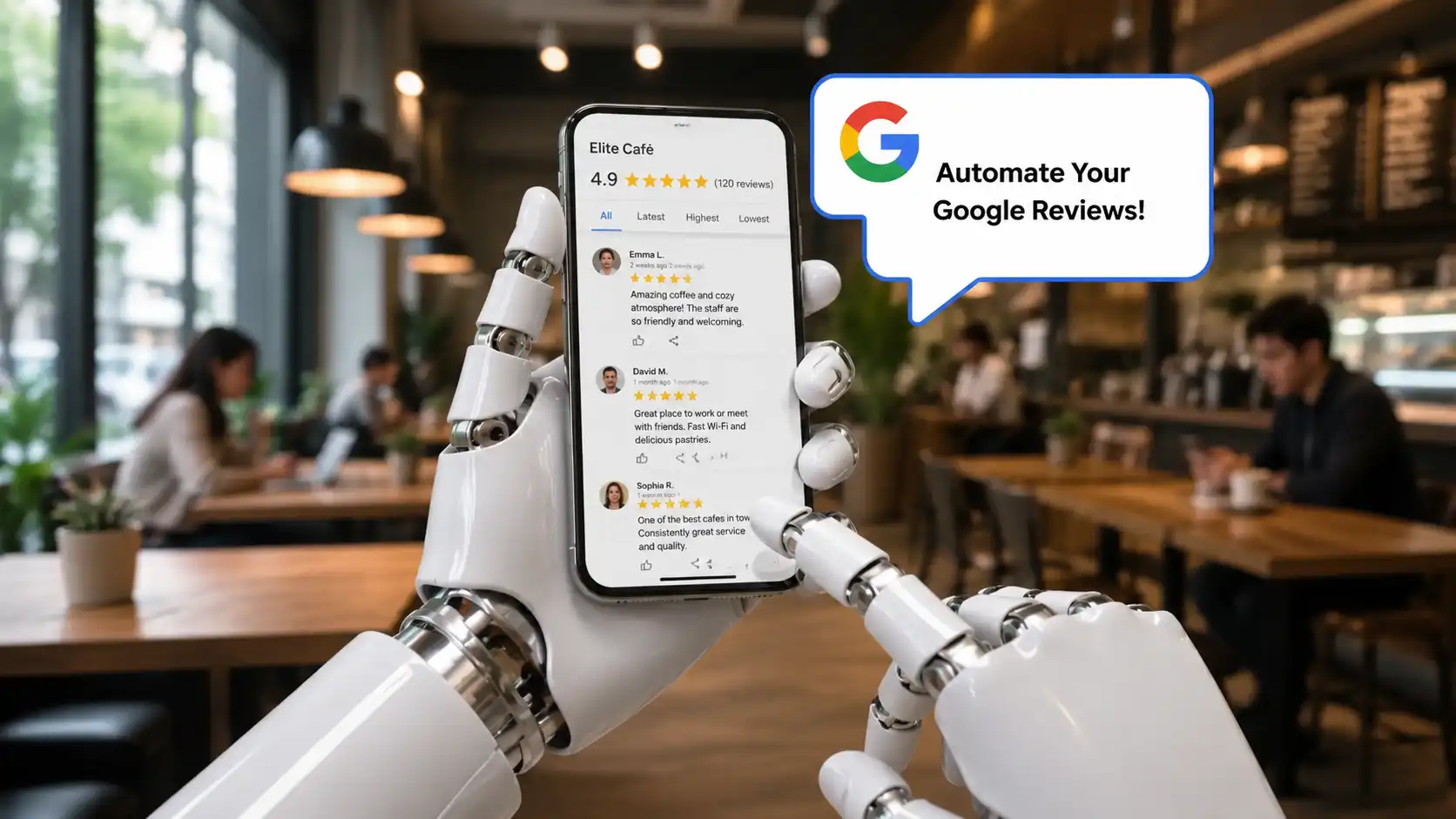
How to automate Google reviews for your small business
Learning how to automate Google reviews is one of the highest-impact things a small business can do for its online reputation — and most owners are still doing it manually. Every missed review is a missed opportunity to build trust, rank higher in local search, and win customers your competitors are quietly taking.
The good news is that automating Google reviews does not require a big budget or a technical team. With the right setup, review requests can go out automatically via SMS or email the moment a customer interaction is complete — whether that is after a dental appointment, a restaurant visit, a legal consultation, or a completed trade job.
This guide covers exactly how to do it: the mechanics, the tools, the message templates that work, and the specific approach for different types of small business.
Why automating Google reviews is a game-changer for local businesses
Most customers who have a good experience will not leave a review unprompted. Not because they are unhappy — but because life gets in the way. They mean to do it, and then they forget. The window of maximum satisfaction typically closes within an hour or two of the service ending, and manual follow-up at that moment is simply not realistic for a busy small business owner.
Automation solves this completely. A well-timed SMS or email review request sent automatically after a service is completed can achieve significantly higher response rates than manual outreach. The message arrives at exactly the right moment, includes a direct link to your Google review page, and requires no effort from your team to send.
Beyond volume, there is the consistency argument. When requests go out manually, they go out unevenly — or not at all when things get busy. Automation means every customer gets the same professional follow-up, every time, regardless of how busy the day was. For Google review automation for small business, this consistency is what builds a profile that compounds over months and years.
How automated Google review requests actually work
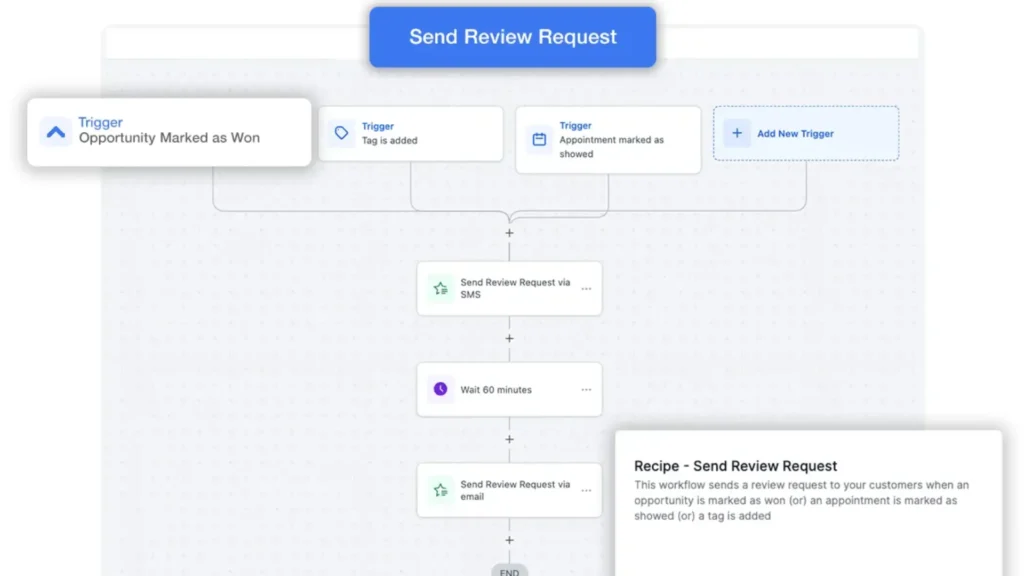
The core mechanism is straightforward: a trigger event fires when a customer interaction is completed, and an automated message is sent to the customer with a direct link to your Google Business Profile review page.
The trigger
The trigger is what tells the system to send the request. Depending on your business type, this might be:
- A completed appointment in your booking calendar
- A job marked as finished in your CRM or workflow tool
- A payment received and confirmed
- A form submission or intake closed out
- A specific stage reached in your sales pipeline
The trigger connects your existing tools — your booking system, CRM, or job management software — to the automation platform. Once set up, it runs without any manual input.
The message
The automated review request itself should be short, warm, and personal-feeling. A direct link to the review form is essential — removing any friction in the journey is the single biggest driver of higher response rates. Messages that ask customers to go and search for the business themselves convert far less well than messages with a single tap-to-review link.
The follow-up
For customers who do not respond to the first message, a single automated follow-up 48 to 72 hours later can recover a meaningful percentage of reviews that would otherwise be lost. Most automation platforms support this as part of the same workflow.
SMS vs email: which channel works best for review requests?
Both channels work, and the best setups use both. But if you had to choose one, SMS consistently outperforms email for review request purposes. Open rates for SMS are dramatically higher, the message arrives in a more personal space, and the shorter format suits the ask.
Email works particularly well for industries where the customer relationship is more formal — legal services, financial advice, or healthcare — or where a slightly longer message with context is appropriate. For restaurants, trades, and beauty and wellness businesses, SMS is almost always the better primary channel.
The ideal setup for automated review requests SMS and email is to use SMS as the primary trigger and email as the follow-up, or to let the system choose based on the customer’s contact preference. Platforms that handle both channels in a single workflow make this straightforward to manage.
How different industries should set up their review automation
The timing and tone of automated review requests should match the nature of the customer experience. Here is how the approach differs across four common business types.
Law firms
Legal clients are often dealing with stressful situations, so the tone needs to be measured and professional. A review request sent too quickly after an interaction — while a matter is still open — can feel premature and off-putting. The ideal trigger for law firms is case closure or the completion of a specific service stage, with the message framed around the experience of working with the team rather than asking for a rating.
Firms using a CRM-connected automation platform can set automated client follow-up workflows to fire at precisely the right moment — keeping the client relationship professional while still capturing feedback at its freshest.
Dentists and healthcare clinics
Post-appointment review requests work extremely well in dental and healthcare settings because the visit experience is recent, contained, and memorable. An SMS sent 30 to 60 minutes after a patient leaves the practice — triggered by appointment completion — is likely to catch them while they are still thinking about it.
It is important to avoid mentioning clinical details in automated messages for compliance reasons. The message should simply thank the patient for visiting and invite them to share their experience. Short, friendly, and with a direct link.
Restaurants
For restaurants, the trigger is table completion or a post-dining SMS sequence that fires a set time after the reservation slot ends. Timing here is critical — too soon and the guest may still be at the table; too late and the moment has passed. A window of 45 minutes to 2 hours after the booking end time typically works well.
The message should be brief and conversational in tone. Restaurants that also manage reservations, confirmations, and waitlists through an automated reservation and communication system can build the review request directly into the same customer journey, creating a seamless post-visit experience.
Trades, builders, and service businesses
For builders, joiners, and other tradespeople, the natural trigger is job completion. When a work order is closed out or an invoice is sent, the automation fires a review request. Customers who have just had work completed and are satisfied are in the ideal state to leave a positive review.
A photo of the completed work included in the email version of the request can reinforce the positive feeling and increase response rates noticeably.
Still asking for Google reviews manually?
Replace manual follow-ups with automated SMS and email triggers that fire exactly when your customers are most satisfied. Bring your review collection into Fixxable's connected system and start climbing local search rankings effortlessly.
How to set up Google review automation for your small business: step by step
Step 1: Claim and optimise your Google Business Profile
Before any automation can work, you need a verified Google Business Profile. This is the free listing that appears when customers search for your business on Google or Google Maps. Make sure your profile is fully complete: accurate address, phone number, opening hours, business category, and a selection of photos.
Step 2: Get your Google review link
Your review link is the URL that takes customers directly to the review form. You can find this in the Google Business Profile dashboard. Copy it and have it ready to include in your message templates.
Step 3: Connect your booking or CRM system
The automation platform needs to know when a trigger event has occurred. Most modern platforms connect to popular calendar, booking, and CRM tools. Once connected, you define the trigger: appointment completed, job closed, payment received.
Step 4: Write your message templates
Keep the SMS version under 160 characters where possible. Include the customer’s first name for personalisation, a brief thank-you, and the direct review link. For the email version, a slightly warmer tone with a subject line along the lines of “How was your visit?” typically performs well.
Step 5: Set up the follow-up sequence
Configure a follow-up message to go out 48 to 72 hours after the initial request if the customer has not already left a review. One follow-up is appropriate; any more begins to feel pushy and can harm the customer relationship.
Step 6: Monitor and respond
Automation handles the sending, but responding to reviews — positive and negative — still requires human input. A prompt, professional response to every review signals to both Google and potential customers that the business is attentive and engaged. Many platforms allow you to set up alerts when new reviews arrive so nothing slips through.
What to avoid when automating Google reviews
There are a few important guardrails to keep in mind as you set up your Google review automation for small business.
- Never incentivise reviews with discounts, gifts, or rewards. Google’s policies prohibit this, and it can result in your reviews being removed or your profile being penalised.
- Do not set up a review gate — a system that only sends happy customers to Google while directing unhappy ones to a private feedback form. This is against Google’s guidelines and can result in enforcement action.
- Ensure your automated messages comply with GDPR and the UK’s Privacy and Electronic Communications Regulations (PECR). You need a legitimate basis for contacting customers by SMS or email. A genuine customer relationship and clear opt-out options in every message are the baseline requirements.
- Keep your automation balanced — over-reliance on templates and automated responses can make your brand feel cold and impersonal. The technology handles the consistency; the human touches in your templates and review responses handle the warmth.
Making review automation part of your wider business system
The businesses that see the biggest impact from automated review requests are typically those that integrate it into a broader customer communication system rather than treating it as a standalone task. When review requests sit alongside automated appointment reminders, follow-up messages, and client communications, they become part of a consistent, professional customer journey rather than an afterthought.
For UK small businesses looking to bring all of this together in one place, Fixxable’s reviews and reputation management feature is built specifically to automate review collection as part of a wider CRM and communication workflow. Whether you run a dental practice, a law firm, a restaurant, or a trades business, the system connects to your existing tools and handles the outreach automatically — all within a single dashboard.
The businesses consistently topping local Google search results in competitive areas are not necessarily the best in their field — they are simply the most consistent at asking. Automation makes consistency effortless.
If you are ready to move beyond manual follow-ups and build a review strategy that runs itself, exploring how SMS and WhatsApp marketing automation can work alongside your review workflow is a natural next step.
Build your Google reviews on autopilot
Stop leaving valuable customer feedback to chance. Fixxable helps UK small businesses automate Google review requests via SMS and email from one connected CRM. Trigger messages the moment a job or appointment is complete, ensuring consistent follow-ups without the manual effort.