
10 automated workflows every growing business should have running before breakfast
Automated workflows are the difference between a business that scales and one that drowns in admin. If your mornings start with your team manually sending follow-up emails, copying data between systems, chasing unpaid invoices, and trying to remember which leads came in overnight — you are working harder than you need to.
The good news is that most of this work can run by itself. Not partly. Completely. Before your first cup of tea is finished, the right business automation setup can have already captured and responded to new enquiries, sent appointment reminders, updated your CRM, and prepared your daily performance summary.
Here are ten automated workflows every growing business should have in place — and why each one matters more than most business owners realise.
1. Instant lead capture and follow-up
When a new lead fills in a contact form, requests a quote, or sends a message on WhatsApp, the clock starts immediately. Research consistently shows that the faster a business responds to an enquiry, the higher the chance of converting it into a sale. Responding within minutes versus hours is not a marginal improvement — it is the difference between winning and losing the lead entirely.
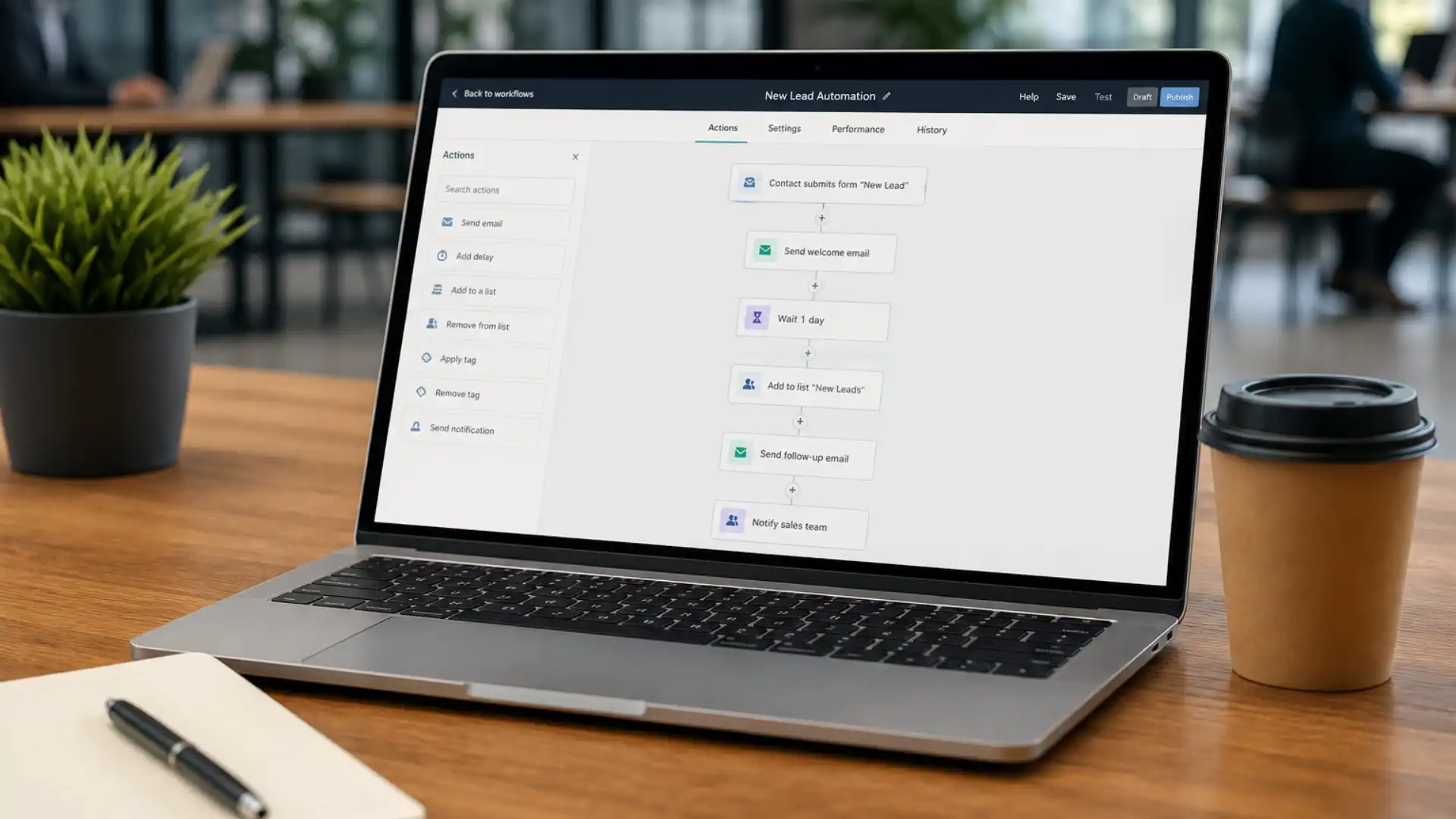
An automated workflow captures the enquiry as it arrives, logs it in your CRM, sends the contact a personalised acknowledgement, and alerts the relevant team member — all without anyone lifting a finger. No lead falls through the gaps. No-one has to remember to follow up.
Fixxable’s business automation platform is built around exactly this kind of instant response. Every enquiry from your website, forms, or WhatsApp flows directly into your CRM and triggers an automated response — so your business is always the first to reply, even outside office hours.
2. Automated appointment and booking confirmations
Whether you run a clinic, a service business, or a consultancy, every unconfirmed booking is a potential no-show. Sending a confirmation message manually for every appointment is time-consuming and easy to forget, especially during a busy day.
This automated workflow fires the moment a booking is made — sending a confirmation via SMS, email, or WhatsApp, adding the appointment to the relevant calendar, and creating the corresponding record in your system. There is nothing for your team to do. It just happens.
The time saving alone is significant. The reduction in missed appointments is even more valuable.
3. Automated reminders to reduce no-shows
Sending a confirmation at the point of booking is step one. Sending a reminder 24 or 48 hours before the appointment is what actually keeps people from forgetting. Businesses that implement automated reminders consistently see a meaningful reduction in cancellations and no-shows — often by 20 to 30 per cent.
This workflow requires no daily management. Once the logic is configured — send an SMS reminder 48 hours before, a follow-up email 24 hours before — it runs on its own indefinitely. Your diary stays full without your team spending hours on reminder calls.
For healthcare and clinic businesses in particular, this workflow is transformational. Fixxable’s dental clinic automation uses exactly this approach — automated SMS and email reminders sent at the right intervals, keeping appointment schedules full and patient communication consistent without manual input from staff.
4. Automated client onboarding sequence
The moment a new client signs up, pays a deposit, or completes a booking, an onboarding sequence should begin automatically. This might include a welcome message, a link to key information, a request for any documents or details you need, and a scheduled check-in a few days later.
Done manually, this process takes time and relies on individuals remembering each step for every new client. Automated, it runs flawlessly at scale — whether you are onboarding one new client per week or twenty. Every new client receives the same professional, consistent experience from day one.
Businesses that invest in automated onboarding tend to see lower early churn and stronger client relationships from the start, simply because clients feel looked after immediately rather than being left in limbo after signing up.
Still running follow-ups, reminders, invoices, and reports manually?
Workflow automation for small business lets your lead response, booking confirmations, payment reminders, review requests, CRM updates, and daily dashboards run quietly in the background while your team focuses on real work.
5. Automated invoice generation and payment reminders
One of the most common pain points for small and growing businesses is cash flow — specifically, the gap between completing work and getting paid. Chasing invoices manually is awkward, time-consuming, and easy to deprioritise when things get busy.
An automated invoicing workflow generates and sends an invoice immediately after a job is completed, an appointment ends, or a project milestone is reached. If the invoice is not paid within a set number of days, a polite payment reminder goes out automatically. If it remains unpaid after a second interval, a further reminder is triggered.
For service businesses managing multiple clients simultaneously, this kind of workflow automation for small business is genuinely game-changing. Fixxable’s beauty salon and wellness automation includes automated invoice creation after each appointment, with payment reminders sent via secure payment links — keeping revenue moving without staff having to chase a single payment manually.
6. Automated review and feedback requests
Customer reviews are one of the most powerful forms of social proof available to any business. Yet most businesses collect very few reviews, not because their customers are unwilling to leave them, but because no-one ever asks at the right moment.
An automated review request workflow sends a follow-up message a set time after a completed appointment or purchase — when the experience is fresh and the client is most likely to respond positively. The message can include a direct link to your Google Business Profile, Trustpilot, or wherever your reviews are hosted. The whole process takes the client under two minutes and requires nothing from your team.
Businesses that run this workflow consistently accumulate a significant volume of reviews over time, which builds trust, improves search visibility, and attracts more clients organically.
7. Automated lead nurturing sequences
Not every lead is ready to buy the moment they make contact. Some are comparing options. Some are in an early research phase. Without a nurturing sequence, these potential customers simply drift away and are forgotten.
Automated lead nurturing sends a series of targeted, relevant messages over a period of days or weeks — sharing useful information, addressing common questions, and gently moving the prospect towards a decision. The messages feel personal and timely, even though they are running automatically in the background.
The businesses that implement workflow automation for small business in this area typically see a meaningful increase in conversion rates from leads that would previously have gone cold. It is one of the highest-ROI automated workflows available to growing businesses.
Fixxable’s CRM tracks every lead conversation from the moment of first contact, making it straightforward to build nurture sequences that adapt to where each prospect is in the journey. See how the platform manages lead communication across industries — the logic is consistent whether you are running a clinic, a salon, a removal company, or a professional services firm.
8. Unified inbox and automated message routing
Growing businesses typically receive messages across multiple channels — email, SMS, WhatsApp, social media — and managing these in separate places leads to missed messages, slow responses, and a poor client experience. Someone sends a WhatsApp at 9pm and does not hear back until the next afternoon. Another enquiry comes in via the website form and gets buried.
A unified inbox workflow brings all messages into a single view, with automated routing ensuring each one reaches the right team member. Urgent messages can be flagged. Routine queries can be handled with templated replies. Nothing is missed and response times drop dramatically.
For businesses that deal with high volumes of client communication, this is one of the most impactful automated workflows to implement. The improvement in response speed and consistency is immediately visible.
9. Automated daily performance dashboard
Every business owner and manager needs visibility over key metrics — bookings, revenue, leads in the pipeline, cancellations, and outstanding payments. Building this picture manually each morning by pulling data from several different places wastes time and is prone to errors or omissions.
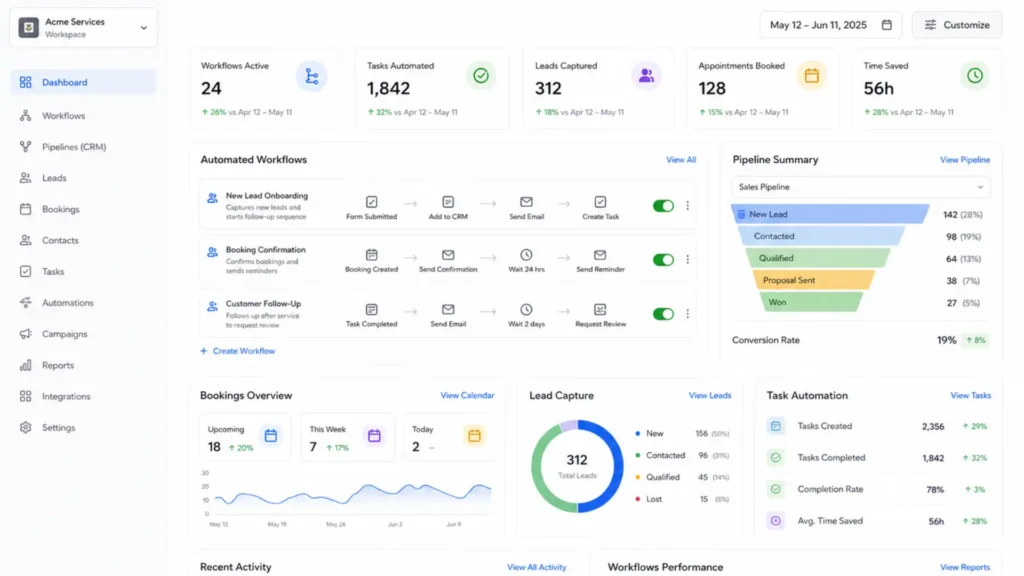
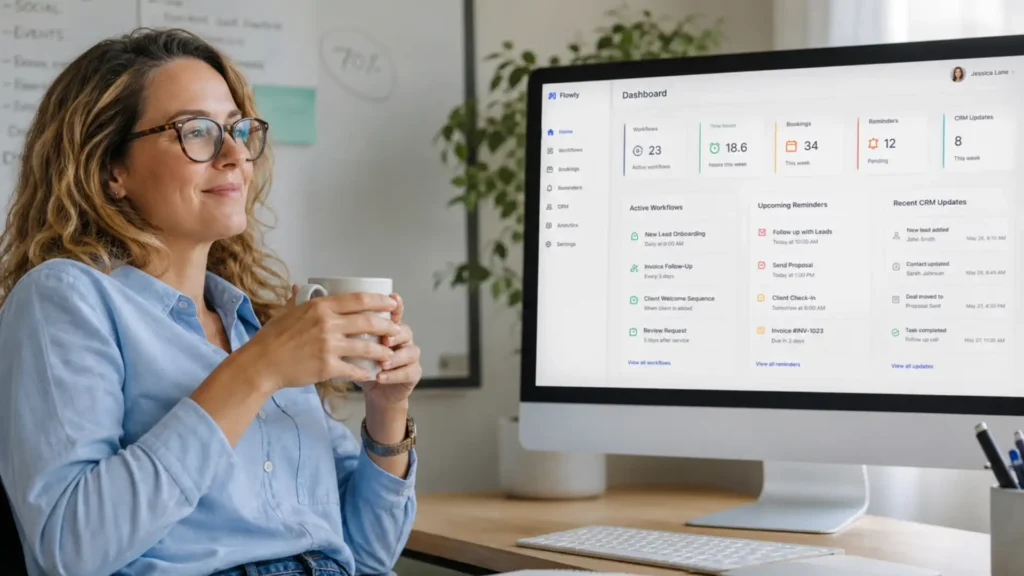
An automated dashboard workflow pulls together the data you need and presents it in a single clear view, updated in real time. You can see where the business stands the moment you open your laptop, without anyone having to compile a report. Decisions get made faster. Problems get spotted earlier.
This is built into Fixxable’s business automation platform as standard. Fixxable’s live analytics dashboard tracks bookings, cancellations, revenue, and client engagement in one place — giving business owners the visibility they need without adding any manual reporting work to their day.
10. Automated re-engagement for dormant clients
Most businesses have a significant pool of past clients who have simply gone quiet. They had a good experience but drifted away — perhaps because life got busy, or because a reminder at the right moment never came.
A re-engagement workflow identifies clients who have not booked, purchased, or been in contact for a defined period and sends them a targeted, personalised message — a check-in, a special offer, or a reminder of what you offer. The message is automated, but it feels timely and considered.
Reactivating even a small percentage of dormant clients each month can make a meaningful difference to revenue, and the cost of winning them back is far lower than acquiring new customers from scratch. This is one of the most underused automated workflows in small business, and one of the most effective.
How to approach automated workflows without overcomplicating it
The most common mistake businesses make when starting with business automation is trying to do too much at once. A dozen workflows launched simultaneously, with unclear logic and untested triggers, creates more confusion than it resolves.
The smarter approach is to start with one or two workflows that address your biggest operational pain points — typically lead response and appointment reminders — and get those running reliably before adding more. Each successful workflow builds confidence, frees up time, and creates the bandwidth to implement the next one properly.
Most of the workflows on this list can be up and running within days, not weeks. The technology is accessible. The setup does not require a developer or technical expertise. What it does require is a clear picture of how your business processes work and a platform designed to bring them together.
For growing UK businesses that want to move quickly without technical complexity, Fixxable’s physiotherapy and clinic automation tools are a useful example of how automated workflows can be configured specifically around a business’s operational reality — not a generic template — resulting in a setup that actually gets used and delivers measurable results.
For a broader look at how businesses are approaching workflow automation right now, this guide from Smartflow covers the landscape of business process automation across different functions and is worth reading if you want wider context on where to focus first.
Ready to put your business on autopilot before breakfast?
The ten automated workflows above are not theoretical. They are running right now in businesses across the UK — saving hours of admin every week, improving client communication, and quietly growing revenue in the background while owners focus on the work that actually needs their attention.
The question is not whether workflow automation for small business is worth it. For any growing business, it clearly is. The question is which workflow to build first.
Fixxable is an all-in-one business automation platform built specifically for UK businesses — covering CRM, communication, bookings, invoicing, and analytics in one connected system with no coding required. Explore how Fixxable supports businesses across every industry and see which automated workflows are ready to run for yours.
Put your daily business admin on autopilot before breakfast
Capture new enquiries, send instant follow-ups, confirm bookings, chase unpaid invoices, request reviews, update your CRM, and track performance from one connected system. Fixxable helps growing UK businesses run essential automated workflows without extra tools, coding, or manual admin.